Why Some Seniors Refuse Smartphones or Monitoring Technology
Before choosing equipment, try to understand why your parent is uncomfortable with it. The reason can help you identify an alternative they may actually accept.
They Find Smartphones Difficult to Use
Small text, touchscreens, passwords, frequent updates, and unfamiliar menus can make a smartphone frustrating. Hearing or vision difficulties, arthritis, tremors, and memory changes may add to the challenge.
A solution that depends on your parent opening an app, reading a notification, or remembering several steps may not work reliably. Consider options with simple physical controls, automatic operation, or communication methods they already understand.
They Worry About Privacy and Independence
Some older adults feel that monitoring equipment means their family no longer trusts them. Cameras and location tracking can raise particular concerns because they may feel intrusive.
Listen to those concerns instead of dismissing them. Explain what information you want to receive, why you need it, and who will have access. Whenever possible, let your parent choose between different options.
They Are Concerned About Scams and Costs
Older adults who have received suspicious calls or messages may be reluctant to connect devices to the internet or share personal information. Others worry about monthly subscriptions, unexpected fees, or being pressured into a purchase.
Explain the costs before installing anything. Check whether a service requires internet access, a landline, cellular connectivity, professional monitoring, or a recurring subscription.
They Do Not Believe They Need Monitoring
A parent who has lived independently for decades may see monitoring as unnecessary. They may feel healthy, confident, and capable of managing everyday activities.
Rather than insisting that something bad could happen, focus on a specific concern. For example, explain that a brief morning check-in would reassure the family without changing how they spend the rest of their day.
Practical tip: Start with the least intrusive option that addresses the actual concern. You can review the plan later if your parent’s needs or circumstances change.
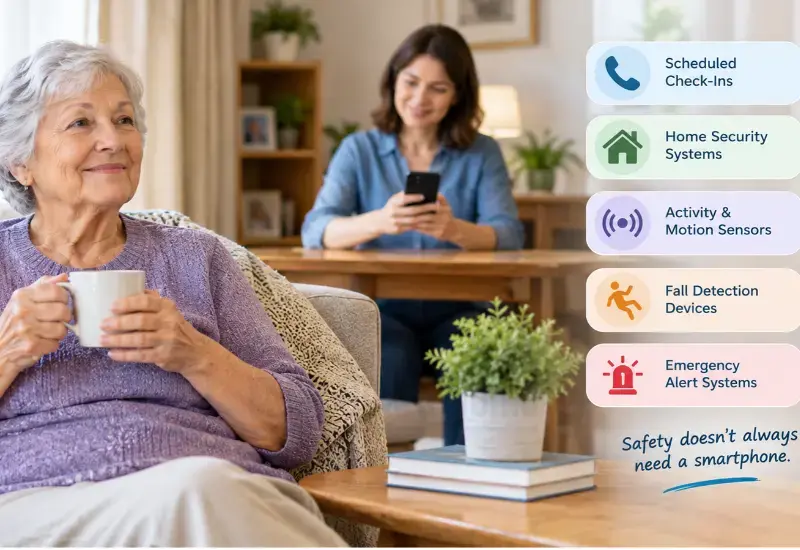
6 Ways to Monitor a Senior Who Refuses a Smartphone
These options serve different purposes. Some help you confirm that your parent is reachable, while others provide information about activity or help summon assistance. They should not be treated as interchangeable.
1. Establish Scheduled Telephone Check-Ins
A regular phone call is often the simplest starting point. Your parent can continue using a familiar landline or basic mobile phone, while you establish a routine that everyone understands.
For example, you might agree to call every morning at 9 a.m. and every evening at 7 p.m. If a call is missed, you could try again after a short interval before contacting a designated backup person.
Make the routine specific. Agree on the normal call times, what counts as a missed check-in, and who should follow up if you cannot reach your parent.
Best for: Older adults who can use a telephone and do not need continuous monitoring.
Limitations: A scheduled call only confirms contact at that moment. It cannot automatically detect a fall or an emergency that occurs between calls.
2. Consider Automated Telephone Check-Ins
Automated check-in services may call an older adult at agreed times and ask them to confirm that they are okay. Depending on the service, the person may respond by pressing a telephone key or following a simple recorded prompt.
Some services can notify a designated contact when a check-in is missed. Before subscribing, confirm whether the service supports landlines, whether the older adult must respond manually, and how the escalation process works.
This can reduce the burden on family members who cannot make every call themselves. However, it is important to confirm that your parent can hear the prompts and complete the required response.
Best for: Families who want a consistent check-in routine when relatives are busy or live far away.
Limitations: A missed response does not automatically prove that an emergency has occurred. The person may be away from the phone, asleep, unable to hear the call, or experiencing a problem.
3. Use a Home Security System With Simple Controls
A home security system may provide protection without requiring the older adult to operate a smartphone. Depending on the model, the system may use a physical keypad, key fob, door or window sensors, and a central control panel.
Some systems send notifications to family members or a professional monitoring center. Your parent may be able to use the equipment through familiar physical controls while you manage notifications from your own device.
Before choosing a system, confirm whether it supports the functions you need. A burglary alarm is not the same as a medical alert system, and ordinary security sensors generally cannot confirm that an older adult is safe or detect every fall.
Consider the following questions:
- Can the system be armed and disarmed without an app?
- Can a caregiver receive alerts remotely?
- Does remote access require a paid subscription?
- What happens if the internet or power fails?
- Does the service contact family members, a monitoring center, or emergency services?
- Can the older adult use the control panel comfortably?
For a closer comparison, read our guide to home security systems for seniors without smartphones.
Best for: Families concerned about home security who also want certain remote notifications.
Limitations: Security systems are not automatically designed to detect falls, medical emergencies, or a lack of movement.
4. Install Activity or Motion Sensors
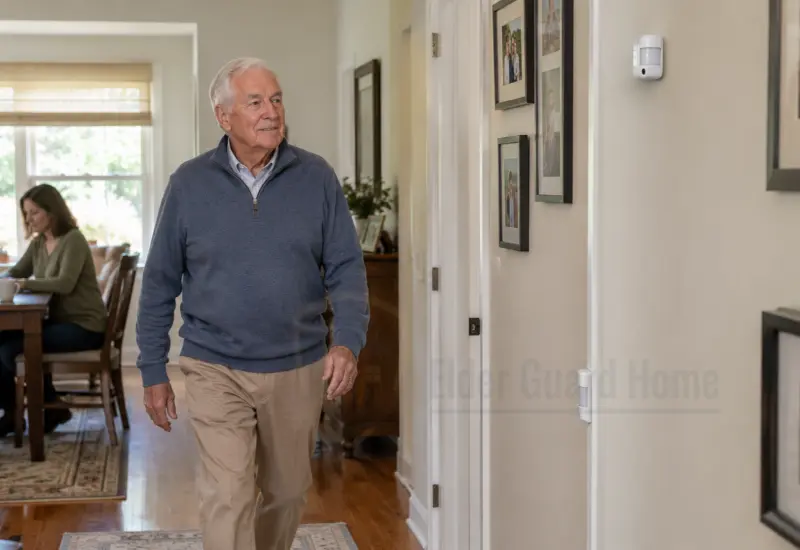
Activity sensors can provide limited information about movement in selected areas of the home. Depending on the equipment, sensors may be installed near entryways, hallways, bedrooms, or other frequently used spaces.
Some systems can notify a caregiver if an expected activity does not occur within a configured period. For example, a family might want to know if there has been no usual morning movement by an agreed time.
However, a motion sensor does not tell you exactly what happened. A lack of movement could mean that the person is sleeping, resting, visiting a neighbor, or simply following a different routine. Movement also does not prove that someone is well.
Configure alerts around meaningful changes rather than every small movement. Too many notifications can overwhelm caregivers and make important alerts easier to miss.
Best for: Families who need limited activity information without requiring their parent to wear a device or operate an app.
Limitations: Performance depends on sensor placement, system design, household routines, and the types of events the equipment can recognize.
5. Consider Non-Wearable Fall Detection
Some monitoring systems use radar, depth sensing, or other non-camera technologies to identify movement patterns that may indicate a fall. Certain products can send an alert to a caregiver or monitoring service without requiring the older adult to wear a pendant or smartwatch.
This can be helpful for someone who refuses wearable devices or frequently forgets to put them on. However, not every system detects falls in the same way, and not every product can distinguish a fall from other movements reliably.
Before buying, ask the provider:
- What types of falls can the system detect?
- Does it work in bedrooms, bathrooms, and other relevant areas?
- Does it require internet access or a paid subscription?
- Who receives an alert when a possible fall occurs?
- What happens if the system loses power or connectivity?
- Is there an option for a human to verify an alert?
You can compare the main approaches in our guide to AI fall detection systems without wearable buttons.
Best for: Older adults who may be at risk of falling but will not consistently wear an emergency pendant.
Limitations: Detection can fail, and an alert may arrive late or be triggered incorrectly. A non-wearable detector should not be treated as a guarantee that every fall will be recognized.
6. Choose an Emergency Alert System That Caregivers Can Manage
An emergency alert system may let an older adult request help through a pendant, wall-mounted button, voice command, or another accessible control. Some services can contact family members, while others connect to a professional monitoring center.
Your parent may not need to use a smartphone for the emergency alert to work. However, you must confirm whether the chosen device works independently, requires a base station, uses a landline or cellular connection, or depends on a caregiver’s app.
If your parent refuses to wear anything, a wearable pendant may not be a suitable solution. Consider a different control method or a non-wearable system, but be clear about what that alternative can and cannot do.
Our guide to voice-activated emergency alert systems for seniors explains important considerations for voice-controlled options.
Best for: Older adults who can activate an alert and need a straightforward way to request help.
Limitations: A manual alert generally depends on the person being able to activate it. Voice systems may not hear a request correctly, and some devices need a working connection or power supply.
Which Monitoring Method Is Right for Your Situation?
The best approach depends on the specific concern, not simply on whether your parent owns a smartphone.
The table below compares common options. Actual features vary by provider, so verify the details before choosing a service.
| Monitoring method | Does your parent need a smartphone? | What it can help with | Main limitation |
|---|
| Scheduled phone calls | No | Regular personal contact | Only confirms contact at call time |
| Automated telephone check-ins | No, if the service supports a regular telephone | Routine check-ins and missed-response notifications | Requires the person to respond if the service uses interactive calls |
| Home security system | Often no for basic controls | Door, window, and security alerts | Does not automatically detect medical emergencies |
| Activity sensors | Often no for the monitored person | Selected movement or routine changes | Activity data does not establish a person’s condition |
| Non-wearable fall detection | Usually not for basic operation, depending on the model | Possible fall alerts | May miss falls or trigger incorrect alerts |
| Emergency alert device | Usually not if the device operates independently | Requesting help through a button, pendant, or supported voice interface | Some options require the person to activate them |
If your priority is receiving remote notifications, look closely at the alert delivery process. A system that detects an event is useful only if the notification reaches someone who can respond.
Our guide to security systems that alert family members explains how to evaluate family notifications and the response arrangements behind them.
How to Discuss Monitoring Without Damaging Trust
The conversation can be more difficult than choosing the equipment. If your parent feels that the family is trying to control them, even a useful system may be rejected.
Approach the discussion as a shared safety decision rather than a demand.
Begin With the Specific Concern
Explain what worries you without suggesting that your parent is incapable of living independently.
For example, you could say:
“I want you to keep living the way you enjoy. I sometimes worry when I cannot reach you, so could we find a simple way to check in that feels comfortable for you?”
This keeps the conversation focused on communication and reassurance rather than surveillance.
Offer Choices Instead of One Required Device
Ask whether your parent would prefer a daily phone call, an automated check-in, a simple emergency button, or another arrangement.
If they dislike cameras, do not assume they will also reject a telephone check-in. If they refuse a wearable pendant, ask whether they would consider a wall-mounted alert button or a different approach.
Offering choices gives your parent a meaningful role in the decision.
Explain What Will and Will Not Be Monitored
Be specific about the information a system collects. Explain who receives notifications, whether video or audio is recorded, how long data is retained, and who can access it.
Do not promise that a system is private or secure without checking its actual settings and policies. Where possible, demonstrate the device before installation and let your parent decide whether they are comfortable with it.
Start Small and Review the Arrangement
Begin with a simple check-in routine or a limited set of alerts. Give your parent time to get used to the arrangement before adding more equipment.
Review the plan together after a few weeks. Ask whether the check-ins feel helpful, whether the notifications are too frequent, and whether any changes would make the system easier to live with.
The aim is to support independence, not make your parent feel watched throughout the day.
Build a Family Safety Plan Before Installing Equipment
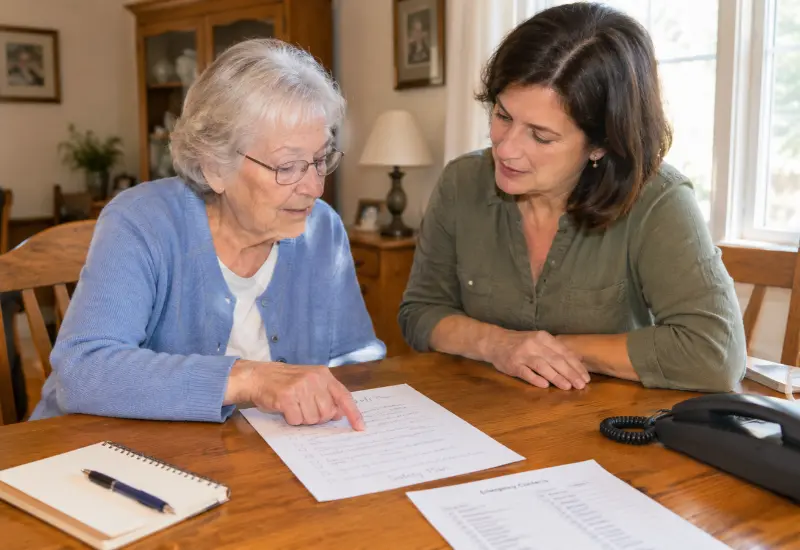
Technology is only one part of an effective monitoring arrangement. Families also need to decide what happens when a check-in is missed or an alert arrives.
A written plan reduces confusion, especially when several relatives share responsibility.
1. Agree on Normal Check-In Times
Choose times that fit your parent’s daily routine. A morning call may work well for someone who wakes early, while another person may prefer a midday check-in.
Make sure the routine is realistic for everyone involved. A plan that depends on a relative who frequently misses calls will not provide dependable reassurance.
2. Name a Primary and Backup Contact
Decide who will respond first and who will step in if that person is unavailable. Confirm that both people have the correct telephone numbers and know how to reach your parent.
If a monitoring service is involved, verify which contacts it will call and in what order.
3. Define What Happens After a Missed Check-In
Agree on a sensible escalation process. For example:
Call your parent again after the agreed interval.
Try an alternative contact method if available.
Ask the designated nearby contact to check in, if appropriate.
If there are credible signs of immediate danger, contact local emergency services rather than waiting for the routine process to finish.
The right timing depends on the person’s health, known risks, and circumstances. A missed call alone does not necessarily indicate an emergency, but repeated missed check-ins or worrying information may require faster action.
4. Keep Important Information Accessible
With your parent’s agreement, maintain a current list of emergency contacts, relevant access arrangements, and any information responders may need. Store it securely and share it only with people who have a legitimate role in the safety plan.
Do not leave sensitive medical or personal information in an unsecured location simply to make it easier for multiple people to access.
5. Test the System and Review It Regularly
Test alert delivery, backup contacts, and any relevant equipment settings. Confirm what happens when the internet fails, the power goes out, or a device loses connectivity.
Review the plan when your parent’s living arrangements, mobility, health needs, or preferences change. A system that was appropriate six months ago may no longer meet their needs.
Privacy and Safety Limitations You Should Understand
Remote monitoring can provide useful information, but it cannot replace every form of care or guarantee that an emergency will be detected.
Respect Consent and Personal Boundaries
Whenever possible, discuss monitoring openly and obtain your parent’s informed agreement. Explain the purpose of the equipment and the information it collects.
Avoid covert cameras, hidden microphones, or secret tracking as a default response to concern. These measures can damage trust and may raise legal or ethical issues. If your parent has difficulty understanding or making decisions about monitoring, seek appropriate professional guidance rather than assuming that a family member can authorize any form of surveillance.
Understand What Each Sensor Actually Measures
A door sensor may show that a door opened. A motion sensor may register movement. A fall detection system may identify a pattern consistent with a fall.
None of these observations necessarily establishes that your parent is safe, injured, or in need of assistance. Avoid treating ordinary activity data as a complete picture of a person’s well-being.
Families considering multiple technologies can read our guide to multi-sensor home monitoring systems. Combining sensors may provide additional information, but it does not eliminate detection gaps or false alerts.
Check Power, Connectivity, and Alert Delivery
Some equipment relies on Wi-Fi, internet service, cellular connectivity, electrical power, or a subscription. A device may not work as expected during an outage or if the service has been disconnected.
Ask the provider what happens when a connection fails, whether a backup battery is available, and how the system indicates that it is offline.
Also confirm who receives alerts, how quickly notifications are sent, and what the service does if the first contact does not respond.
Do Not Assume Fall Detection Is Perfect
Automatic fall detection may be useful, particularly when an older adult refuses to wear a pendant. However, some falls may go undetected, and ordinary movements can sometimes trigger false alerts.
Read our guide to false alarm rates in AI fall detection systems to understand why detection claims, testing conditions, and alert handling matter.
If your parent has a high risk of falling or a medical condition that could cause a sudden emergency, discuss appropriate safety arrangements with a healthcare professional. Do not rely on one sensor as the only safeguard.
Frequently Asked Questions
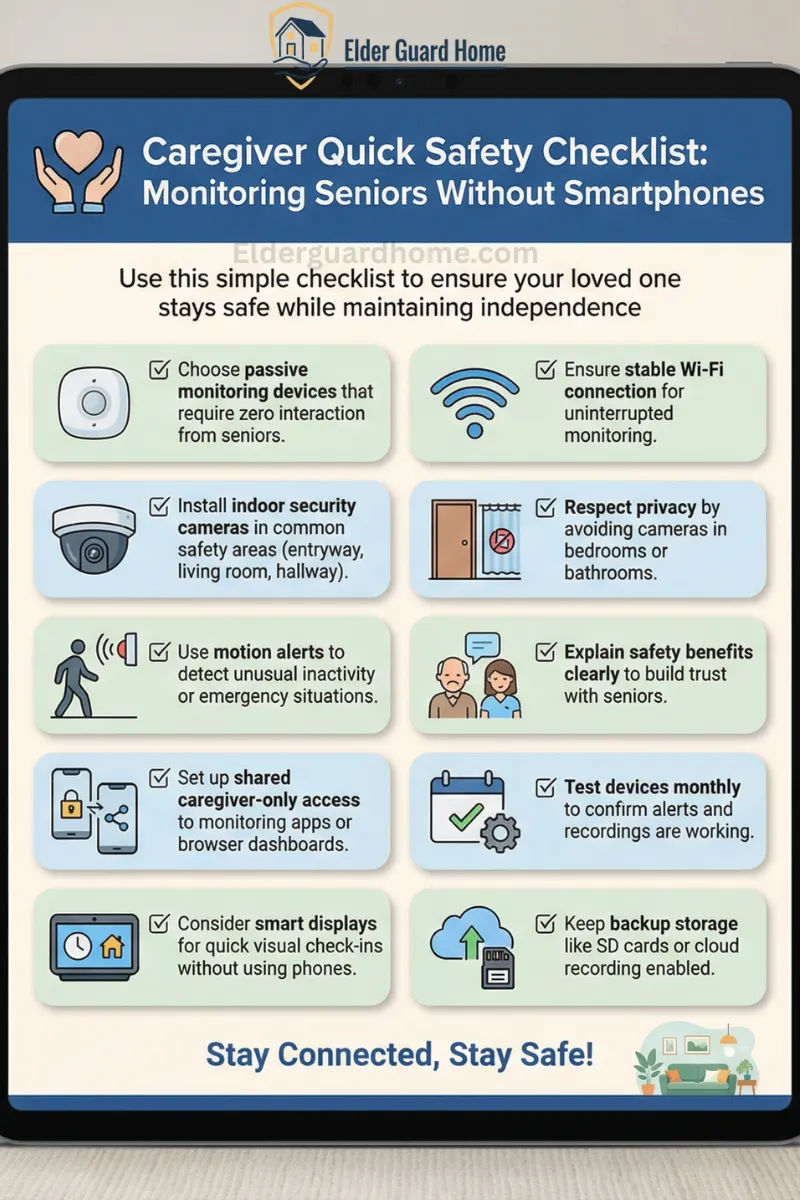
Caregiver Quick Safety Checklist: Monitoring Seniors Without Smartphones
Use this simple checklist to ensure your loved one stays safe while maintaining independence. For complete safety guidelines, download Free Printable Home Safety Checklist for Seniors.
✔ Choose passive monitoring devices that require zero interaction from seniors
✔ Install indoor security cameras in common safety areas (entryway, living room, hallway)
✔ Use motion alerts to detect unusual inactivity or emergency situations
✔ Set up shared caregiver-only access to monitoring apps or browser dashboards
✔ Consider smart displays for quick visual check-ins without using phones
✔ Ensure stable Wi-Fi connection for uninterrupted monitoring
✔ Respect privacy by avoiding cameras in bedrooms or bathrooms
✔ Explain safety benefits clearly to build trust with seniors
✔ Test devices monthly to confirm alerts and recordings are working
✔ Keep backup storage like SD cards or cloud recording enabled
💡 Pro Tip: Start with one monitoring device first. Gradual introduction reduces resistance and builds acceptance. To make your seniors more secure, read our guide on Best security systems for elders living alone.
Final Verdict — Support Independence Without Requiring a Smartphone
Monitoring a senior who refuses a smartphone is possible, but the best solution begins with understanding the person’s concerns rather than choosing equipment first.
For many families, a scheduled telephone check-in and a clear backup-contact plan are practical starting points. Where the risks justify additional support, home security systems, activity sensors, non-wearable fall detection, or emergency alert services may provide useful information without requiring the older adult to use a smartphone.
Before buying anything, verify what the system can detect, who receives its alerts, what happens when it fails, and whether your parent is comfortable with the arrangement.
Most importantly, remember that technology supports a safety plan; it does not replace human contact or guarantee that every emergency will be detected. A thoughtful combination of communication, appropriate equipment, privacy, and a reliable response process can help an older adult maintain independence while giving family members greater peace of mind.