
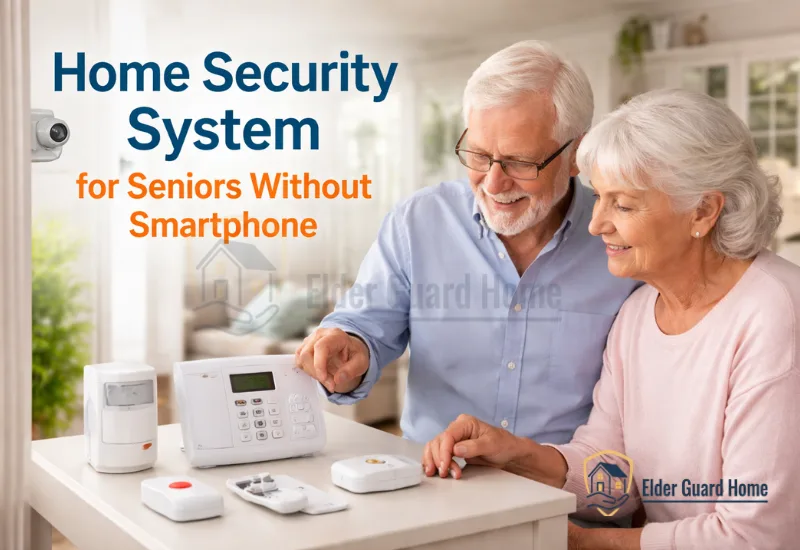
Many seniors refuse to use smartphones. Some forget passwords. Others simply dislike apps. As a result, modern security systems feel confusing or stressful.
However, safety is still important. Seniors who live alone face real risks. Break-ins, emergencies, and delayed response times are serious concerns. Meanwhile, caregivers often live far away. Therefore, families need a simple solution.
The good news is this: a home security system for seniors without smartphone does exist. These systems work with keypads, landlines, or caregiver controls. They do not require the senior to manage apps. Instead, they focus on ease and reliability.
In this guide, we will explain the best options. We will also help you choose wisely. If you’re comparing broader options, explore our full guide to the best home security systems for seniors living alone.
Why Do Seniors Need a Home Security System Without a Smartphone?
Many seniors avoid smartphones because they find apps confusing or stressful. Therefore, systems that don’t rely on smartphones help reduce tech frustration while still providing reliable safety alerts for emergencies and intrusions.
Many older adults resist new technology. They prefer physical buttons. They trust simple tools. Therefore, smartphone-based systems feel unnecessary.
Second, cognitive decline can make apps harder to use. Small icons and complex menus increase confusion. As a result, mistakes happen more often.
Many seniors refuse to use smartphones or apps. In those cases, simple monitoring options can help families stay connected without tech stress. For more on how to support a senior who refuses smartphones and digital tools, see our guide on how to monitor a senior who refuses smartphone.
In addition, password fatigue is real. Seniors forget login details. Then they feel frustrated. Eventually, they stop using the system.
Physical limits also matter. Arthritis makes touchscreen typing painful. Poor vision makes small text difficult to read. Therefore, a home security system for seniors without smartphone becomes a safer and calmer solution.
Most importantly, safety tools should reduce stress. They should not create it.
What Features Should a Simple Alarm System for Seniors Without Smartphone Have?
A good smartphone-free security system for seniors must be easy to use, require minimal tech interaction, and offer clear alerts like loud sirens, large physical buttons, and reliable 24/7 monitoring without app dependency.
A simple alarm system for seniors living alone must focus on ease. Complexity increases risk. Simplicity improves response time.
Before choosing a system, focus on features that work without requiring a smartphone. Look for SMS alerts, automated phone call support, caregiver messaging, and easy physical controls.
Let’s break down the key features.
Large Keypads and Physical Buttons
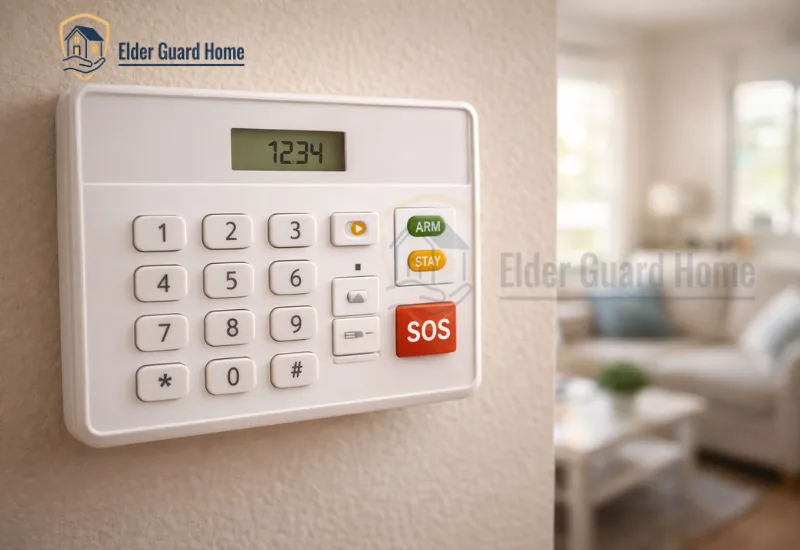
Large buttons are easier to press. Clear labels reduce confusion. Therefore, seniors can arm or disarm the system quickly.
Physical buttons also build confidence. Unlike apps, they provide tactile feedback. That matters for elderly users.
Loud, Clear Audible Alerts
Strong sirens are important. However, clear voice alerts are even better. Seniors need to hear warnings immediately.
Moreover, loud alerts scare intruders. At the same time, they notify neighbors.
24/7 Monitoring Without App Dependency
Monitoring should not depend on a mobile app. Instead, alerts should go directly to a monitoring center.
Then, the center contacts family or emergency services. As a result, the senior does not need to manage anything.
Easy Emergency Activation
Emergency buttons must be simple. One press should trigger help.
Some systems include wall-mounted panic buttons. Others include wearable pendants. However, they should not require app setup.
What Are the Best Types of Security Systems for Seniors Without a Smartphone?
There are several options for seniors without smartphones, including keypad-based systems, landline-connected alarms, voice-controlled systems, and caregiver-controlled setups. Each type lets seniors get alerts and protection without needing an app.
A security system without app for elderly users can work in several ways. Each type suits different needs. Therefore, families must compare carefully.
Keypad-Based Systems
These systems use a wall keypad. The senior enters a simple code. That’s it.
Caregivers can manage settings remotely. Meanwhile, the senior only uses basic controls.
Landline-Based Monitoring
These systems connect to a home phone line. Therefore, they do not rely on WiFi.
They are stable and familiar. However, they require an active landline connection.
For homes with unreliable internet or rural locations, you may also want to explore the best home security systems that work without WiFi and how they protect seniors.
Voice-Controlled Systems
Some systems allow voice commands. For example, the senior can say a preset phrase.
However, voice recognition must be accurate. Otherwise, it creates frustration.
Caregiver-Controlled Systems (Family App Only)
In this setup, only the caregiver uses the app. The senior interacts with physical hardware only.
Therefore, technology stays in the background. Meanwhile, family members receive alerts instantly.
Is a Landline Home Security System Still Worth It for Seniors?
Yes — landline security systems still work well for many seniors because they don’t rely on internet or smartphones. However, adding cellular backup improves reliability if the phone line fails.
A landline home security system for seniors may sound outdated. However, in some cases, it works very well.
Let’s examine this carefully.
How Landline Systems Work
The system connects to the home phone line. When triggered, it calls the monitoring center.
Therefore, internet failure does not affect it. However, it depends fully on the landline.
Pros of Landline Monitoring
First, it is stable. Second, it is simple. Third, seniors understand how phone lines work.
Moreover, installation is often easier.
Limitations Compared to Cellular Systems
However, landlines are declining. Many homes no longer have them.
Also, phone lines can be physically cut. Therefore, cellular backup may offer better protection.
Who Should Choose Landline Over WiFi
Landline systems work best for:
Seniors who already have home phones
Homes with weak WiFi
Elderly users who distrust internet devices
However, if mobility and flexibility matter more, cellular systems may be better.
Comparison Table – Systems That Work Without Smartphones
Below is a comparison of the main security systems that work without smartphones, so families can quickly see features like landline support, keypad ease, and caregiver alerts.
Choosing the right system depends on lifestyle. However, each option solves a different problem. Therefore, compare carefully before deciding.
| Feature | Landline System | Keypad Cellular System | Caregiver-Controlled System |
|---|---|---|---|
| Requires Smartphone | No | No | Only caregiver |
| Installation Difficulty | Low | Medium | Medium |
| Emergency Monitoring | Yes | Yes | Yes |
| Best For | Traditional seniors | Moderate tech comfort | Remote families |
As you can see, all three work without requiring the senior to use a smartphone. However, the caregiver-controlled system shifts technology to the family side. Therefore, it works well for long-distance support.
Pros and Cons of Choosing a Home Security System for Seniors Without Smartphone
Here is a clear summary of benefits and limitations of home security systems that don’t require a smartphone, so you can weigh simplicity against customization features.
A home security system for seniors without smartphone offers simplicity. However, it is not perfect for everyone. Therefore, let’s look at both sides.
✅ Pros
- Easier adoption. Seniors learn faster.
- Lower tech confusion. Fewer login errors.
- Reduced false alarms caused by app misuse.
- Better for seniors living alone who prefer physical controls.
Moreover, these systems reduce stress. As a result, seniors feel more confident using them daily.
❌ Cons
- Fewer remote customization options.
- May lack smart-home integrations.
- Limited advanced automation features.
However, for many families, simplicity matters more than automation. Therefore, trade-offs often make sense.
Who Isn’t a Good Fit for Security Systems Without Smartphone?
Seniors comfortable with smartphone apps and families that want advanced automation may prefer systems with app control and customization. Smartphone-enabled systems often offer remote video and real-time multi-family alerts that simple systems cannot match.
Although smartphone-free systems are helpful, they are not ideal for everyone.
• Seniors comfortable with apps may prefer smart systems.
• Tech-savvy retirees may want automation features.
• Households with full smart-home integration may need app control.
In those cases, smartphone-based systems offer more flexibility. However, they also require more digital comfort. Therefore, match the system to the user, not the trend.
How to Choose the Right Security System Without App for Elderly Parents
To choose a suitable system, consider the senior’s comfort with technology, the presence of a landline, caregiver proximity, and whether emergency monitoring is required. Simple keypads and landline systems work best for seniors who avoid smartphones.
Choosing the right security system without app for elderly parents requires honest assessment. Therefore, ask these questions first:
- Do they use a mobile phone regularly?
- Is there active landline service at home?
- Do they live alone most of the time?
- Do caregivers live far away?
- Is medical alert integration needed?
If they avoid smartphones completely, choose keypad or landline systems. However, if caregivers need remote updates, consider caregiver-controlled setups.
In addition, think about emergency response speed. Faster alerts mean better protection. Therefore, prioritize monitoring quality over extra features.
Can Smartphone-Free Home Security Integrate with Fall Detection?
Yes — many home security systems can integrate with medical alert pendants and dedicated fall detection sensors so that safety systems cover both break-ins and medical emergencies without requiring the senior to use a smartphone.
However, integration depends on the provider.
Medical Alert Pendants
These pendants allow seniors to press a button during emergencies. They are simple. However, they rely on user activation.
AI Fall Detection Systems
Some modern systems use motion analysis. They detect falls automatically. Therefore, they do not require button pressing.
Hybrid Setups
Simple systems are great for low-tech situations, but for more robust safety, explore multi-sensor home monitoring systems that combine multiple technologies for broader coverage. Many families combine security monitoring with fall detection. As a result, they cover both break-ins and medical emergencies.
You can also explore advanced fall detection options that work alongside security systems in our detailed comparison guide on fall detection vs traditional alarm systems for seniors.
This approach creates layered protection. Therefore, safety improves significantly.
What Are the Best Security Systems That Work Without Smartphones?
Here are a few simple security devices that work well for seniors who avoid smartphones. These options help secure entry points with loud alarms, keypad control, and easy setup without requiring apps.
1. Portable Door Window Alarm – 120 dB Loud Magnetic Alarm (No Smartphone Required)
A magnetic door/window alarm that emits a loud 120 dB siren when triggered. It is battery powered, easy to stick on doors or windows, and does not require Wi-Fi or a smartphone to work.
Best for: Seniors who want a straightforward, loud alert system without apps.
2. KERUI Home Security Alarm System – Remote Control & Siren
This DIY alarm kit includes a siren and wireless door/window sensors with remote control arming/disarming. It does not require Wi-Fi or a phone app, and loud audible alarms help scare away intruders and alert household members.
Best for: Homes with frequent visitors or multiple doors to secure.
Note: These are basic devices that do not require a smartphone for everyday use. They help prevent break-ins and alert family members via phone or sound alerts, fitting the needs of many seniors who avoid apps or smartphones.
For a full comparison of home security systems — including those with monitoring, fall detection integration, and broader features — see our pillar guide on the Security systems for older adults at home.
Frequently Asked Questions
What is the best home security system for seniors without smartphone?
The best home security system for seniors without smartphone depends on comfort level. However, keypad cellular systems and caregiver-controlled systems are often ideal. They offer monitoring without forcing the senior to use apps.
Can elderly people use a security system without app for elderly safely?
Yes. A security system without app for elderly users is often safer because it reduces confusion. Moreover, it lowers the chance of setup errors. Therefore, many seniors prefer it.
Are landline home security systems for seniors outdated?
Not necessarily. A landline home security system for seniors still works well in homes with active phone service. However, cellular systems offer better flexibility and backup options.
What is the simplest alarm setup for seniors living alone?
The simplest setup is a wall keypad with 24/7 monitoring and an emergency button. A simple alarm system for seniors living alone should avoid complex menus. Instead, it should focus on quick response and clarity.
Final Verdict: Is a Simple Alarm System for Seniors Living Alone Enough?
In many cases, yes.
A simple alarm system for seniors living alone is often enough when:
The senior avoids smartphones
The home has basic security risks
Monitoring service is active 24/7
However, upgrade if:
The senior has fall risks
Caregivers live far away
Medical conditions require fast response
Therefore, the right choice depends on lifestyle, not trends.
If your goal is reliable protection without digital stress, a home security system for seniors without smartphone is a smart and practical solution. However, always compare features carefully. Safety should feel simple, not complicated.