
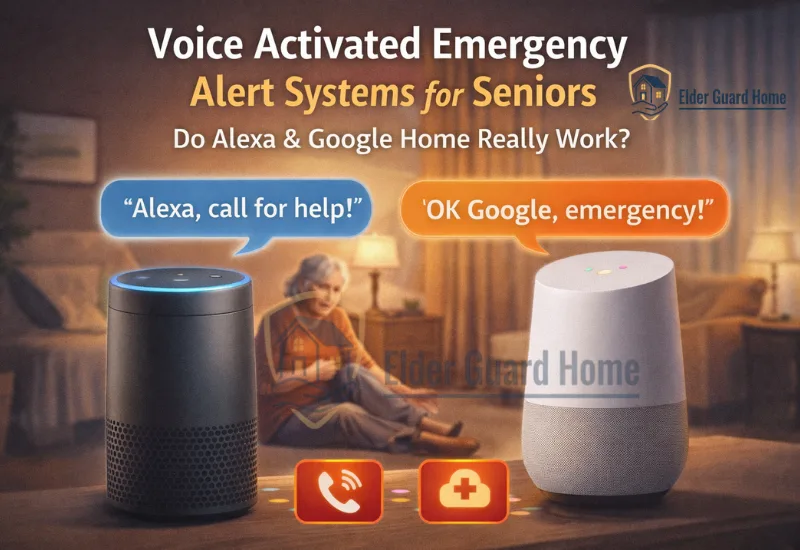
Smart speakers are everywhere.
And naturally, many families now ask:
Can a voice activated emergency alert system really protect a senior during a crisis?
After all, devices like Alexa and Google Home already control lights, make calls, and answer questions. So it feels logical to use them for emergencies too.
However, emergency safety is different from convenience.
In this guide, we’ll break down how a voice-triggered medical alert works, whether an Alexa emergency alert for seniors is reliable, and if a Google Home panic command can replace traditional monitoring.
We’ll also explain when voice activation makes sense — and when it doesn’t.
What Is a Voice Activated Emergency Alert System?
A voice activated emergency alert system allows a senior to trigger help by speaking a command.
For example:
“Alexa, call for help.”
“Hey Google, call my daughter.”
“Alexa, I need assistance.”
Unlike automatic fall detection systems, these systems require the senior to speak clearly.
How a Voice-Triggered Medical Alert Works
A voice-triggered medical alert typically follows this process:
The senior says a pre-set command.
Smart speaker recognizes the phrase.
The device places a call or sends a notification.
A family member responds.
Some systems can also:
Send push alerts to caregivers
Activate smart lights
Trigger sirens
Start video calling
However, the key point is this:
It is manual activation, not automatic detection.
That distinction matters — especially for high-risk seniors.
If you’re comparing this with passive monitoring, review our complete guide to AI fall detection without wearable buttons, which explains how automatic systems detect falls without requiring the senior to speak.
How Does an Alexa Emergency Alert for Seniors Actually Work?
Alexa devices are often the first choice for families exploring voice safety.
But what can Alexa realistically do?
1. Calling Emergency Contacts
Alexa can call:
- Saved contacts
- Alexa-to-Alexa devices
- Linked mobile phones
However, in many regions, Alexa cannot directly dial 911 without specific integrations.
Therefore, it usually works as a family notification system, not an EMS dispatch system.
2. Alexa Drop-In Feature
The Drop-In feature allows trusted contacts to:
- Instantly connect
- Listen in
- Speak through the device
This can be helpful during confusion or mild emergencies.
However, it is not medical monitoring.
3. Alexa Routines for Emergency Scenarios
Families can create routines such as:
- Saying “Emergency” turns on all lights
- Sends a notification
- Calls a caregiver
While useful, these are still dependent on:
- Internet connectivity
- Clear voice recognition
- Device being within hearing range
Limitations of an Alexa Emergency Alert for Seniors

Although Alexa offers convenience, there are real limitations:
- Cannot detect unconscious falls
- Cannot recognize silent medical emergencies
- Requires clear speech
- Dependent on Wi-Fi and electricity
- May struggle in noisy environments
So while an Alexa emergency alert for seniors can help in certain situations, it cannot replace true medical monitoring.
Can a Google Home Panic Command Replace a Medical Alert System?
Google Home works similarly to Alexa.
However, families often ask whether a Google Home panic command is more reliable.
Let’s break it down.
Setting Up a Google Home Panic Command
Using Google Assistant routines, you can:
Call emergency contacts
Send text messages
Trigger smart lights
Play alert sounds
For example:
“Hey Google, emergency help.”
This could call a daughter or caregiver immediately.
However, like Alexa, Google Home cannot automatically detect a fall.
Where Google Home Works Well
A Google Home panic command works best when:
The senior is conscious
The device is nearby
Speech is clear
Internet is stable
It works as a communication shortcut.
But it does not function as a medical alert service with professional dispatch.
Where It Falls Short
No automatic fall detection
No built-in EMS dispatch
Lack of inactivity monitoring
No perimeter security
Therefore, while Google Home offers convenience, it remains a voice communication tool — not a medical safety system.
Is a Voice-activated medical alert system Reliable During a Fall?
This is the most important question.
Because during an emergency, reliability matters more than features.
Scenario 1: The Senior Is Conscious and Can Speak
In this case, a voice-triggered medical alert may work well.
They say the command.
The device responds.
A caregiver is notified.
Simple.
Scenario 2: The Senior Is Unconscious
Here is the problem.
If the senior:
Hits their head
Loses consciousness
Cannot reach the speaker
Cannot speak clearly
The voice system does nothing.
It cannot detect silence.
Voice system cannot recognize impact.
It cannot call for help automatically.
That is why families often compare voice systems with passive monitoring.
For example, our guide on AI fall detection vs medical alert buttons explains how automatic detection works without requiring speech.
Voice activation works only if the senior can act.
Automatic detection works even if they cannot.
Voice Activated Emergency Alert System vs Automatic Fall Detection
Now let’s compare them clearly.
The difference is fundamental.
A voice activated emergency alert system is reactive.
Automatic fall detection is proactive.
Therefore, voice systems work best as a secondary safety layer, not a primary medical solution.
Pros and Cons of a Hands-free emergency alert device
Pros of a Voice-Triggered Medical Alert
No wearable device required
Low upfront cost
Familiar interface
Easy to install
Good for quick family communication
Encourages independence
Additionally, seniors already using smart speakers adapt quickly.
That familiarity reduces resistance.
Cons of an Alexa Emergency Alert for Seniors
Requires ability to speak clearly
Cannot detect silent emergencies
Dependent on Wi-Fi
Limited EMS integration
Privacy concerns
Not designed specifically for medical use
Therefore, families must weigh convenience against reliability.
Best Use Cases for a Voice Activated Emergency Alert System
Not every senior needs full medical monitoring.
However, voice systems are best suited for:
1. Tech-Comfortable Seniors
If a senior already uses Alexa daily, voice alerts feel natural.
Therefore, adoption is smoother.
2. Mild Mobility Risk
For seniors with low fall risk, voice alerts may be enough as a basic safety layer.
3. Seniors Living With Family
When someone else is home most of the time, voice alerts can simply notify nearby family.
4. As a Backup to Automatic Monitoring
Voice systems work well when paired with:
Fall detection
Activity monitoring
Security alerts
In fact, many families choose layered monitoring solutions, such as multi-sensor security systems that combine fall detection and home awareness.
Do Alexa Emergency Alerts for Seniors Replace Traditional Medical Alert Systems?
Short answer: No.
Alexa and Google Home are smart assistants.
They are not regulated medical alert systems.
They:
Do not provide 24/7 professional monitoring
No guaranteed EMS dispatch
Do not detect falls automatically
However, they can complement existing systems.
So instead of asking:
“Can Alexa replace a medical alert system?”
The better question is:
“How can voice alerts enhance a broader safety plan?”
Are Google Home Panic Commands Safe Enough for Seniors Living Alone?
This depends on risk level.
For seniors living alone, risk increases if:
They have balance issues
Seniors take medications causing dizziness
They have history of falls
They live in high-crime areas
Voice activation alone may not be enough.
For crime-related protection, you may also want to explore options discussed in our guide to the best home security systems for seniors living alone.
Because medical emergencies and break-ins are different risks.
Therefore, voice systems solve only part of the safety equation.
Privacy and Security Considerations with Smart speaker emergency alert system
Voice devices are always listening for wake words.
Although companies state that recordings are limited, privacy remains a concern for some families.
Additionally:
Internet outages disable voice alerts
Power failures can shut down devices
Background noise may prevent recognition
According to the CDC, falls remain one of the leading causes of injury among older adults in the U.S.
That statistic reinforces why passive detection systems are often recommended for high-risk seniors.
Voice alone cannot solve that risk.
Cost Comparison: Voice Activated Emergency Alert System vs Medical Monitoring Voice Systems
Device cost: $50–$150
No mandatory monitoring fee
Optional subscription services
Traditional Medical Monitoring
Equipment: $100–$300
Monthly monitoring: $20–$50
Professional dispatch included
Therefore, voice systems are cheaper.
However, cheaper does not always mean safer.
Families must evaluate value, not just price.
FAQ
Can Alexa call 911 directly?
In most cases, Alexa cannot directly call 911 without third-party integrations. It primarily calls saved contacts.
Is Google Home reliable during power outages?
No. Without power and internet, Google Home cannot function as an emergency alert.
Are voice-triggered medical alerts HIPAA compliant?
Are voice-triggered medical alerts HIPAA compliant?
Can voice alerts reduce false alarms?
Yes, because activation is manual. However, they may fail during unconscious events.
Final Verdict: Is a Voice Activated Emergency Alert System Enough?
Here’s the simple decision framework:
Choose a Voice Activated Emergency Alert System if:
Fall risk is low
Senior is tech-comfortable
Family lives nearby
Budget is limited
It will be used as a secondary system
Choose Automatic Fall Detection if:
Senior lives alone
Fall risk is moderate to high
There is history of fainting
Fast EMS response is critical
Choose Layered Safety if:
Both medical and crime risks exist
Family wants full peace of mind
Budget allows expanded coverage
Voice assistants are helpful.
They increase independence.
They reduce friction.
However, they are not designed to replace medical-grade monitoring.
Therefore, for many families, the smartest approach is combining:
Automatic fall detection
Smart home communication
Security monitoring
Layered safety provides resilience.
And in emergencies, resilience matters more than convenience.
Bottom Line
A voice activated emergency alert system offers convenience and accessibility.
However, it is not a replacement for automatic monitoring.
If your goal is faster emergency response during falls, explore passive detection systems.
If your goal is easier communication, voice assistants work well.
Ultimately, safety decisions should be based on risk — not trend.
And while smart speakers are growing rapidly, emergency protection requires careful planning.