
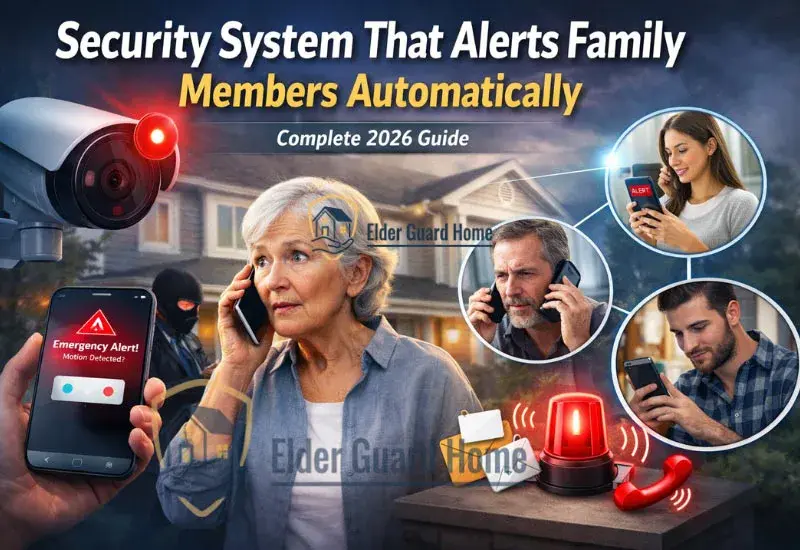
Emergencies don’t wait. However, many traditional alarm systems still notify only a monitoring center first. That means your family may not know something happened until several minutes later.
Today, things are different. A modern security system that alerts family members can send real-time notifications through SMS, app alerts, or even automated phone calls. As a result, adult children, caregivers, and spouses can respond immediately.
If you’re choosing protection for an aging parent living alone, start with our guide on Best security systems for older adults.
In this guide, we will explain how home security alerts for multiple users work, why they matter, and which systems do it best in 2026.
Understanding Security Systems That Alert Family Members
A security system that alerts family members is designed to notify not just a monitoring center, but also trusted contacts directly.
Traditionally, alarm systems followed a simple path:
Alarm triggers
Monitoring center calls homeowner
If no answer, emergency services are contacted
However, modern systems add another layer. They send real-time alerts to multiple family members at the same time.
These alerts may include:
SMS notifications
App push alerts
Automated phone call alerts
Email notifications
Most importantly, many systems allow multi-contact alert chains. Therefore, if one person does not respond, the next contact is notified automatically.
How Do Home Security Alerts for Multiple Users Actually Work?
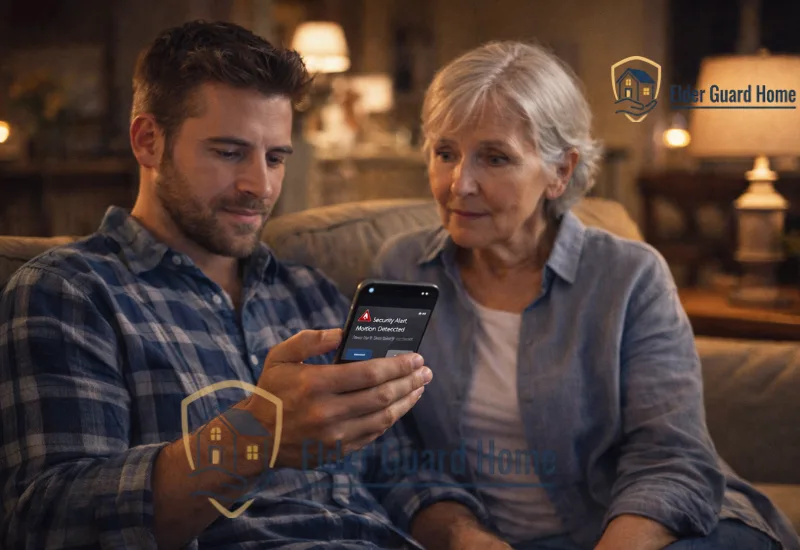
When an event — such as motion detection or a panic button press — occurs, the security system instantly sends signals to a server and routes alerts based on user settings. These alerts can be sent simultaneously to multiple family members via SMS, app notifications, or automated phone calls.
Home security alerts for multiple users follow a simple but powerful process.
First, a trigger event occurs. This could be:
Motion detection
Door or window opening
Glass break detection
Panic button press
Medical emergency button
Next, the system sends the signal to a secure cloud server. Then, the server routes alerts based on your preset preferences.
Depending on the configuration:
Alerts can go to multiple users simultaneously
Or follow an escalation sequence
Or combine SMS and phone call alerts
As a result, everyone stays informed in real time.
Some security systems rely heavily on internet connectivity to deliver alerts. However, households with unstable internet may benefit from a home security system without WiFi, which can still notify family members through cellular or landline alerts.
Why Do Home Security Alerts Matter More Than Traditional Monitoring?
Home security alerts matter because they provide real-time visibility to family members and caregivers, reducing delay in response time and increasing peace of mind when someone lives alone.
While professional monitoring is important, it is not always the fastest option for family communication.
A system with home security alerts for multiple users gives families direct visibility. Therefore, they do not rely solely on a third-party call center.
Faster Response Than Monitoring Centers
Monitoring centers usually follow verification protocols. Although this improves accuracy, it can add delay.
In contrast, an alarm system with phone call alerts can contact family immediately. Consequently, a nearby relative may arrive faster than emergency services.
Peace of Mind for Adult Children
Many adult children live in different cities from their parents. However, they still want to stay involved.
With a security system text message alerts to family feature, they receive instant notifications. As a result, they feel reassured even from a distance.
Ideal for Seniors Who Don’t Use Smartphones
Not every senior uses apps. Therefore, systems that provide automated phone calls or SMS alerts are extremely valuable.
If you’re specifically looking for protection without app dependency, read our full guide on home security systems for seniors without smartphones (internal cluster link here).
Can an Alarm System With Phone Call Alerts Respond Faster Than Monitoring Centers?
Yes, in many cases.
An alarm system with phone call alerts can dial preset numbers immediately after an event. Because it skips manual verification steps, family members are informed faster. However, it should still be combined with professional monitoring for full protection.
Types of Security System Text Message Alerts to Family and Other Contacts
Not all alerts are the same. Therefore, it is important to understand each type.
SMS Alerts (Security System Text Message Alerts to Family)
SMS alerts allow you to receive simple text notifications to multiple family members whenever a security event triggers an alert. This is ideal for households that want basic, reliable messaging without app dependence.
SMS is simple and reliable.
A security system text message alerts to family sends a short message when an alarm is triggered. This works well for:
Seniors without smartphones
Basic GSM alarm systems
Backup notifications
However, SMS may not include detailed event information.
Automated Phone Call Alerts (Auto Dialer Feature)
Some systems include auto-dialers.
An alarm system with phone call alerts calls multiple numbers automatically. Often, it plays a recorded message explaining the emergency.
This is especially useful for:
Landline homes
Seniors who prefer voice communication
Families who want audible alerts
Mobile App Push Notifications
App alerts provide the most detail.
They may include:
Real-time video
Activity timeline
Location tracking
Disarm options
Therefore, they are ideal for tech-comfortable families.
Email Notifications
Email alerts are less urgent. However, they help maintain records of activity.
Medical & Panic Button Alerts
Medical alert integrations are critical for seniors.
When pressed, panic buttons can notify:
Monitoring centers
Family members
Emergency contacts
This combination provides layered safety.
Best Security System That Alerts Family Members Automatically
Many modern home security systems can notify multiple family members automatically. Some use mobile apps, others send SMS alerts or automated phone calls. Choosing the right system depends on your family’s tech comfort and response needs.
Now let’s compare the best systems available in 2026. Each option supports multi-user alerts in different ways.
1. Ring Alarm – Best for App-Based Family Alerts
Ring Alarm is ideal for families who want shared app access. Ring Alarm can alert multiple family members via app push notifications, making it a good choice for tech-comfortable households.
Pros
- Unlimited shared app users
- Real-time push notifications
- Affordable pricing
Cons
- Requires smartphone for full functionality
- Limited direct SMS without subscription
Best For
Tech-savvy families who want shared control.
Limitations
Less suitable for seniors without smartphone access.
This system integrates easily with the Ring app and Amazon ecosystem. It supports shared access for multiple family members via app notifications. It's a strong all-around choice when notifications and smart features matter most.
- Pros: Easy app sharing, unlimited users, Alexa integration, strong ecosystem
- Cons: Relies on app for best experience, professional alerts may cost extra
2. SimpliSafe – Best for Phone + Monitoring Alerts
SimpliSafe combines app alerts with professional monitoring.
Pros
App notifications
Monitoring center backup
Easy setup
Cons
Phone call alerts require monitoring plan
Monthly fees apply
Best For
Families wanting both monitoring and home security alerts for multiple users.
Limitations
SMS options are plan-dependent.
SimpliSafe combines reliable hardware with optional professional monitoring. Alerts can be sent via app and monitoring center calls, which may be directed to family contacts as well. It’s an excellent
- Pros: Professional escalation options, solid app notifications, expandable kit
- Cons: SMS alerts may require a plan, monitoring adds recurring fees
3. ADT – Best for Professional Monitoring + Escalation
ADT offers advanced escalation protocols.
Pros
- Professional monitoring
- Escalation call chains
- Strong reputation
Cons
- Higher cost
- Long-term contracts possible
Best For
Households needing strong redundancy and structured response.
Limitations
Less flexible for self-monitoring-only setups.
ADT is one of the oldest security brands with professional monitoring services and escalation features. While hardware isn’t always sold directly on Amazon, you can link to ADT’s official page or a partnered starter kit for convenience.
- Pros: Strong professional monitoring, multi-contact escalation, trusted reputation
- Cons: Monthly fees and possible long-term contracts
4. Bay Alarm Medical + Home System – Best for Seniors with Emergency Buttons
This system focuses on medical + home safety.
Pros
Medical alert integration
Phone call alerts
Senior-friendly setup
Cons
Monthly monitoring required
Fewer smart home features
Best For
Seniors living alone who need a security system that alerts family members during emergencies.
Limitations
Not designed for full smart home automation.
This system combines home security with emergency button support, ideal for seniors who want direct family alerts for medical needs as well as safety. It integrates voice call alerts to preset contacts.
- Pros: Emergency medical button support, auto phone notifications to family
- Cons: Limited smart home features compared to other systems
Comparison Table – Security Systems That Alert Family Members Automatically
Below is a quick comparison of the best security systems that alert family members automatically. This helps you see alert types, multi-user support, and ideal use cases at a glance.
| System | SMS Alerts | Phone Call Alerts | App Alerts | Multi-User Support | Best For | Check Price |
|---|---|---|---|---|---|---|
| Ring Alarm | Limited | No Auto-Dial | Yes | Unlimited App Users | App-Based Family Alerts | View on Amazon |
| SimpliSafe | With Monitoring | Via Monitoring | Yes | Multiple Users | Phone + Monitoring Alerts | View on Amazon |
| ADT System | Via Monitoring | Escalation Calls | Yes | Multiple Contacts | Professional Monitoring | View Options |
| Bay Alarm Medical | Limited | Auto-Dial Contacts | Limited | Set Emergency Contacts | Seniors + Emergency Buttons | View on Amazon |
Can a Security System Send Alerts to Multiple Family Members Automatically?
Yes. Modern systems can send alerts to multiple family members automatically through app notifications, SMS, or phone calls.
Here’s how it works:
Alert Chain Setup
Most systems allow you to add emergency contacts inside the dashboard. You can create:
Primary contact
Secondary contact
Backup contact
Some systems notify everyone at once. Others follow a priority chain.
Priority Order
You can usually define who gets notified first.
For example:
Daughter
Son
Neighbor
Monitoring center
If the first person doesn’t respond, the system escalates.
Simultaneous vs Sequential Alerts
Simultaneous alerts: Everyone receives a notification instantly (common with app alerts).
Sequential alerts: One contact at a time until someone answers (common with GSM dialer systems and landline auto-dial alarms).
GSM Dialer Systems
GSM systems use cellular networks to place automated calls or send texts. They’re ideal where WiFi is unreliable.
Landline Auto-Dial Alarms
These systems call pre-programmed numbers through a landline. They’re perfect for seniors who don’t use smartphones.
For a deeper breakdown, see our detailed guide on security systems that alert family without a smartphone.
How Many Contacts Can Receive Home Security Alerts?
The answer depends on the system type.
- App-Based Systems: Most app-based systems allow unlimited user sharing. Each family member installs the app and receives alerts instantly.
- SMS Limitations: Text alerts may have limits. Some providers cap SMS notifications or require professional monitoring plans.
- Monitoring Center Contact Limits: Traditional monitoring centers usually call 2–5 emergency contacts in order. After that, authorities may be contacted.
Therefore, if large family visibility is important, app-based systems offer the most flexibility.
Do You Need Professional Monitoring for an Alarm System With Phone Call Alerts?
Not always.
Self-Monitoring
- Alerts go directly to family members.
- No monthly monitoring fee.
- Faster family response.
- Requires someone to act quickly.
Professional Monitoring
- Monitoring center verifies alarm.
- Calls homeowner and contacts.
- Can dispatch emergency services.
- Monthly fee required.
Hybrid Systems
Some systems combine both: family gets alerts immediately, and the monitoring center acts as backup.
Cost Comparison
- Self-monitoring: $0–$10/month
- Professional monitoring: $20–$45/month
If you want redundancy, hybrid systems offer the best balance. Alert systems are important, but many families enhance safety further with hybrid fall detection and multi-sensor monitoring systems that provide layered coverage throughout the home.
Are There Security Systems That Alert Family Without a Smartphone?
Yes — and they are increasingly popular among seniors.
If you’re specifically looking for solutions that don’t rely on mobile apps, read our detailed guide on Home Security System for Seniors Without Smartphone to compare landline and GSM dialer options.
Here are the main types:
Landline Systems
Use home phone line
Auto-dial pre-set contacts
No app required
GSM Dialer Systems
Use cellular network
Send SMS or place calls
Work without internet
Call-Only Alerting Systems
Panic button triggers automated call
Ideal for elderly users
If fall risk is a concern, you may also consider systems with emergency button integration similar to fall detection setups.
Things to Consider Before Choosing a Family-Alert Security System
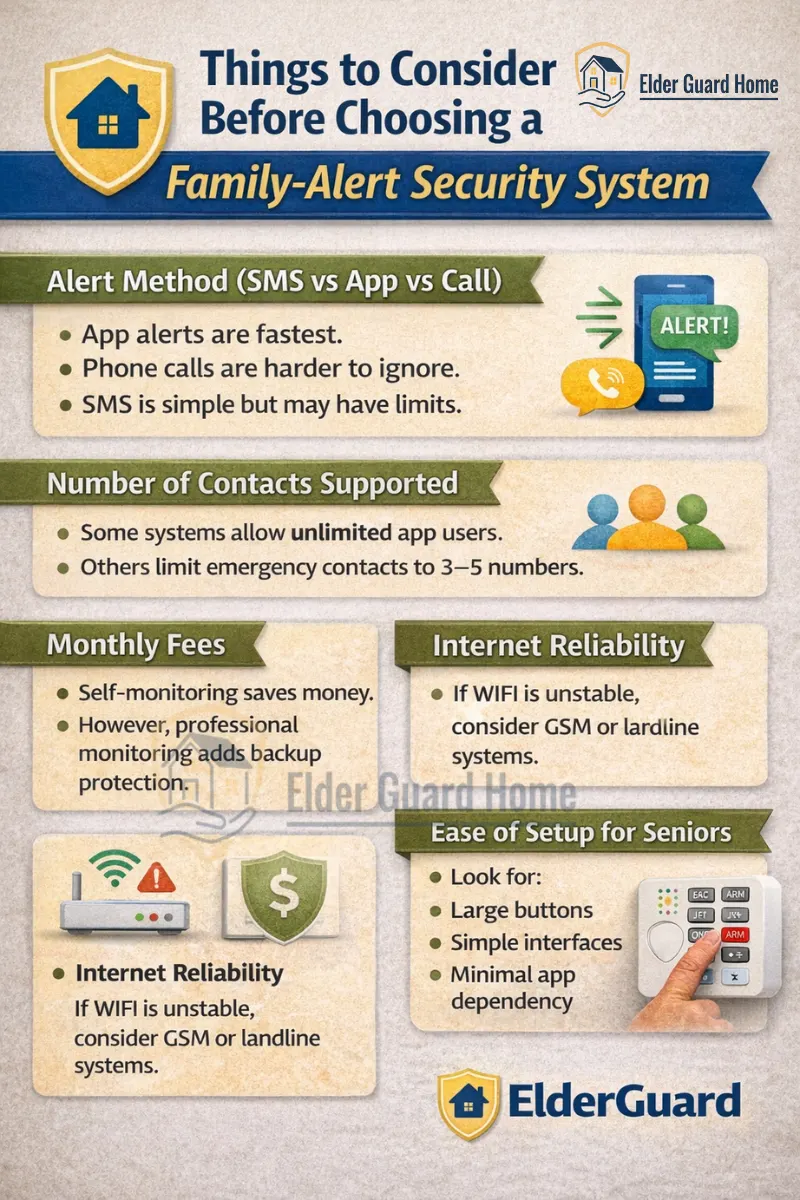
Alert Method (SMS vs App vs Call)
App alerts are fastest.
Phone calls are harder to ignore.
SMS is simple but may have limits.
Number of Contacts Supported
Some systems allow unlimited app users. Others limit emergency contacts to 3–5 numbers.
Monthly Fees
Self-monitoring saves money. However, professional monitoring adds backup protection.
Internet Reliability
If WiFi is unstable, consider GSM or landline systems.
Ease of Setup for Seniors
Look for:
- Large buttons
- Simple interfaces
- Minimal app dependency
Pros and Cons of Security Systems That Alert Family Members
✅ Pros
Faster family response
Multi-layer safety
Transparent communication
Reduced reliance on monitoring centers
❌ Cons
Notification fatigue
False alarms
App dependency (some systems)
Requires responsible contacts
Who Should Choose a Security System That Alerts Family Members?
This type of system is ideal for:
Seniors living alone
Families caring remotely
Homes with medical conditions
Frequent travelers
Parents who want direct notifications
If you’re protecting an aging parent, this model often provides more peace of mind than traditional monitoring alone.
If fall risk is a concern, you should also review our in-depth comparison on AI Fall Detection vs Medical Alert Buttons to understand how emergency buttons and automatic alerts work together.
Frequently Asked Questions
Can a home security system notify multiple phones?
Yes. Most modern systems allow multiple users to receive alerts through mobile apps. Some also send SMS or automated phone calls to several emergency contacts.
How do I set up emergency contacts on my alarm system?
Log into your system dashboard or app, navigate to emergency contacts, add phone numbers, and define the alert order. Some systems allow simultaneous alerts; others use escalation chains.
Do security systems send text messages?
Yes. Many systems offer security system text message alerts to family members, either directly or through GSM dialers. However, SMS features may require monitoring plans.
Can a burglar alarm call my family?
Yes. Some systems include an auto-dial feature that calls pre-set family numbers when triggered. Monitoring centers can also notify contacts by phone.
What happens if no one answers the alert call?
If using professional monitoring, the center continues down the contact list and may dispatch authorities. Self-monitored systems depend entirely on your contact chain.
Is professional monitoring required for family alerts?
No. Many systems allow self-monitoring with app alerts. However, professional monitoring adds backup response if family members miss notifications.
Final Verdict – Is a Security System That Alerts Family Members Worth It?
If your goal is faster response and direct communication with loved ones, then yes — a security system that alerts family members automatically is worth it.
Traditional monitoring is helpful. However, family-alert systems add speed, transparency, and control.
They’re especially valuable for:
Seniors living alone
Adult children managing remote care
Families wanting multi-layer protection
If your priority is peace of mind and faster real-world response, choosing a system that sends alerts to multiple family members may be the smartest safety upgrade you make this year.