
Who This Guide Is For
This guide is written for:
- Caregivers asking whether the LifeStation medical alert system is good for seniors living alone
- Families comparing the Life Station pendant against other wearable alert buttons
- Anyone who wants real range and response-time data, not just marketing claims
- Shoppers deciding between LifeStation and a competitor like Medical Guardian
Caregivers researching a lifestation personal emergency response system usually land here after ruling out the bigger, more heavily advertised names first. LifeStation has quietly operated since 1977, which makes it one of the oldest companies in this industry, yet it gets far less attention than newer competitors.
Falls remain the single biggest safety threat facing adults over 65, and roughly a quarter of that age group experiences one every year. That scale is exactly why a dependable emergency response system matters, since a fall alone at home can go unnoticed for hours without one. Fall-related injuries also carry a real financial weight, with related healthcare costs reaching tens of billions of dollars annually nationwide. NCOA
That’s worth a closer look, since a longer track record often means a more predictable monitoring center behind the pendant. For a full side-by-side of every major provider, see our in-home medical alert systems guide.
What Is the LifeStation Medical Alert System?
LifeStation is a privately held, family-owned medical alert company that has run 24-hour monitoring centers since 1977, based in New Jersey. It positions itself as a lifestation personal emergency response system built around simple setup and live human dispatchers rather than app-heavy extras.
The company holds an A+ Better Business Bureau rating, and its monitoring centers carry Five Diamond certification, the highest tier awarded to emergency monitoring centers. Its equipment also carries UL safety listing, a quality mark worth checking for on any medical alert device.
What Do LifeStation Medical Alert Reviews Say About Customer Service?
Most lifestation medical alert reviews agree on one consistent point, and that’s a company built on longevity rather than flashy extras. Customer service reps are reachable around the clock, and setup typically takes only a few minutes without professional installation. That reputation matters more than a longer spec sheet for a senior who mainly wants a reliable button press to reach a real person fast.
What Devices Come With the LifeStation Medical Alert System?
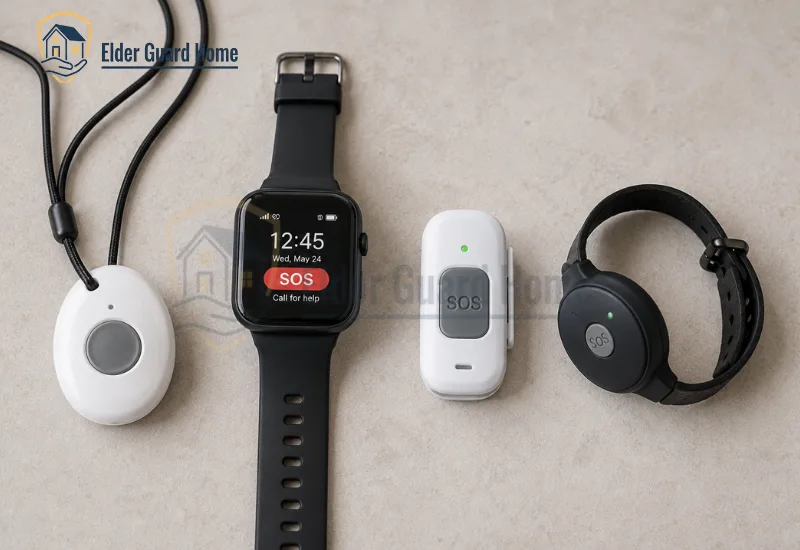
LifeStation offers four devices, spanning in-home, mobile, and smartwatch formats. Each ships as a Life Station pendant or wrist-worn option, so the senior chooses how they want to carry it.
| Device | Format | Fall Detection | Best For |
|---|---|---|---|
| Sidekick Home | In-home base station + pendant | Optional add-on | Seniors who stay home most of the day |
| Sidekick | Mobile GPS pendant | Included | Seniors who still leave the house alone |
| Sidekick Smart | Smartwatch | Optional add-on | Seniors who prefer a watch over a pendant |
| Pearl | Lightweight mobile pendant | Optional add-on | Seniors who want the smallest, lightest device |
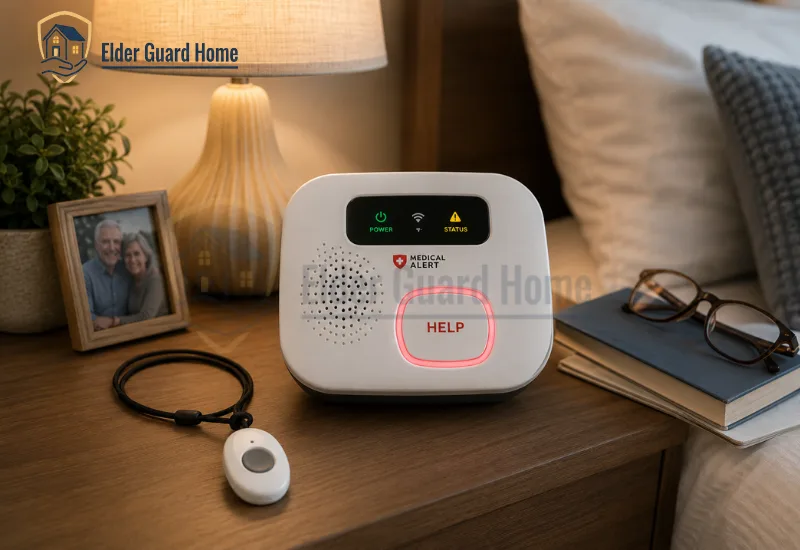
The Sidekick Home system plugs into an outlet and connects to a base station speaker loud enough to hear across a room. A backup battery keeps the base unit working for hours during a power outage, so a storm won’t leave the household unprotected.
The Pearl stands out in this LifeStation Sidekick review comparison because it can clip to a belt or ride in a purse instead of hanging around the neck, which some seniors prefer. Every Life Station pendant in the lineup ships waterproof, so showering with it on is safe.
LifeStation Cost: How Much Is the LifeStation Medical Alert System?
LifeStation’s monthly pricing runs from $36.95 to $50.90, depending on the device and add-ons selected. That places it in the middle of the market, above budget options and below some premium smartwatch-only plans.
Fall detection typically adds a monthly fee on top of the base plan, and an extra help button for a second room costs a small monthly add-on as well. LifeStation offers a 30-day trial period, and the company states it will issue a full refund if a customer returns the system unsatisfied.
| Plan | Monthly Cost | Fall Detection | Contract |
|---|---|---|---|
| Sidekick Home (in-home) | Starting around $36.95 | Add-on | Confirm directly, no long contract advertised |
| Sidekick (mobile GPS) | Up to $50.90 | Included | Confirm directly |
| Sidekick Smart (watch) | Confirm directly | Add-on | Confirm directly |
Always confirm the exact LifeStation cost and current contract terms directly with the company before signing up, since promotional pricing shifts throughout the year.
Does the Life Station Pendant Include Fall Detection?
Fall detection is included standard on the mobile Sidekick, while it’s an optional paid add-on on the other three devices in the lineup. This is where lifestation medical alert reviews get more mixed, since automatic fall detection technology across the industry still misses some real falls and flags some non-falls by mistake.
The Life Station pendant uses motion-sensing hardware to detect a sudden downward movement followed by stillness, which is the general pattern most fall-detection pendants rely on. For a deeper breakdown of why this technology misses events like this, see our false alarm rate guide.
No fall detection system on the market catches every fall with perfect accuracy, and LifeStation is no exception to that pattern. It should supplement, not replace, other fall-prevention steps around the home.
How Far Does the LifeStation Personal Emergency Response System Reach?
Real-world in-home range for the LifeStation personal emergency response system tends to fall short of the advertised distance, which is common across this entire product category. Advertised range numbers are usually measured in open, obstruction-free conditions rather than a typical home with walls, appliances, and furniture in the way.
That gap matters for anyone with a larger home or a detached garage, since a call for help outside that radius may not reach the base unit. Response time fares better, with dispatchers typically answering within about 20 seconds of a button press.
Families comparing this LifeStation medical alert system against competitors should ask each provider for real in-home range figures, not just the number printed on the box, and test the range personally during the trial period.
LifeStation vs Medical Guardian: Which Medical Alert System Is Better?
LifeStation vs Medical Guardian comes down to lineup depth versus operating history, and there’s no single right answer for every household. Medical Guardian offers a wider device lineup and a more feature-rich caregiver app, while LifeStation leans on its longer operating history and simpler device lineup instead.
| Provider | Starting Price | Device Lineup | Fall Detection |
|---|---|---|---|
| LifeStation | $36.95/mo | 4 devices | Included on Sidekick, add-on elsewhere |
| Medical Guardian | $31.95/mo | 5 devices | Paid add-on |
| Bay Alarm Medical | $27.95/mo | 4 devices | Add-on |
Compared against those two, LifeStation’s device lineup is simpler and its price sits in the middle of the pack. Its longer company history and Five Diamond–certified monitoring centers are the tradeoff worth weighing against a smaller feature set.
Is the LifeStation Medical Alert System Good for Seniors?

Yes, the LifeStation medical alert system works well for seniors who value a live human voice and an established monitoring center over the newest app features. Not every senior needs the same device from this lineup, and matching the format to daily habits matters more than picking by price alone.
| Situation | Best LifeStation Device | Why |
|---|---|---|
| Lives alone, stays home most days | Sidekick Home | Covers the house and yard without paying for GPS coverage that goes unused |
| Still drives or walks outside daily | Sidekick (mobile GPS) | Fall detection included, works anywhere with cellular coverage |
| Wants a watch instead of a pendant | Sidekick Smart | Blends into a normal routine, less likely to be left in a drawer |
| Wants the lightest possible device | Pearl | Clips to a belt or purse instead of hanging around the neck |
For seniors with bathroom-specific fall risk, pair any of these devices with the steps in our bathroom fall prevention guide.
Common Mistakes When Buying the LifeStation Medical Alert System
Many families assume the advertised range number reflects real home performance, which is rarely the case. Confirm actual in-home range before ruling out a larger property, since a device’s real coverage often runs well short of its advertised distance.
Another mistake is skipping the 30-day trial period entirely. LifeStation offers this trial specifically so a senior can test the Life Station pendant in daily life before committing. A third mistake is choosing a device without fall detection included, then assuming the base unit alone will catch every emergency.
Frequently Asked Questions
Is the LifeStation medical alert system good for seniors living alone?
Yes, especially the Sidekick Home for seniors who stay close to home most of the day. Seniors who leave the house regularly should choose the mobile Sidekick instead.
How much does the LifeStation medical alert system cost per month?
Pricing runs from $36.95 to $50.90 per month depending on the device and add-ons chosen. Fall detection and an extra help button both carry additional monthly fees.
Does the Life Station pendant work in the shower?
Yes, every Life Station pendant in the current lineup ships waterproof. It’s safe to wear while bathing, which is when many falls happen.
Is LifeStation's fall detection reliable?
It performs unevenly like most fall-detection technology, and it can miss some real falls. It should supplement manual button presses, not replace them entirely.
How does LifeStation compare to Medical Guardian?
Medical Guardian offers a wider device lineup and a stronger caregiver app. LifeStation offers a longer operating history and a simpler, more straightforward lineup.
Conclusion
The LifeStation medical alert system earns its reputation through decades of monitoring experience rather than the newest features on the market.
Our lifestation medical alert reviews confirm solid customer service, even where fall detection and real-world range fall short of the marketing copy. I always tell caregivers to test the 30-day trial before committing to any provider, LifeStation included.
For a full home safety plan, see our 9-point Senior Safety Checklist, and start with our Aging in Place Safely guide if you’re just beginning this process.
Visit LifeStation’s official website to confirm current pricing and start a 30-day trial.