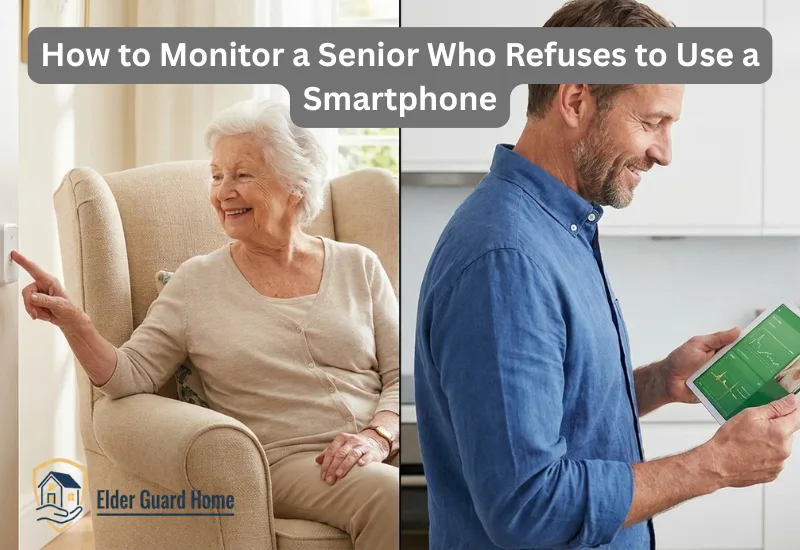
If you’re asking how to monitor a senior who refuses to use smartphone, you’re not alone—and you’re not failing as a caregiver.
Many caregivers feel stuck between concern and respect.
You worry about safety, yet you don’t want to force technology.
That tension is exhausting.
It’s normal to feel frustrated, confused, and even guilty.
You just want peace of mind without constant conflict.
The good news?
There are practical, respectful ways to monitor seniors without smartphones.
This guide focuses on real solutions that work in everyday homes.
No pressure.
No tech battles.
Just safer caregiving.
Why Do Some Seniors Refuse Smartphones for Monitoring?
Many seniors refuse smartphones due to tech anxiety, fear of complexity, and confusion with apps. As a result, families need monitoring systems that do not rely on smartphone apps or touchscreens.
According to technology adoption research, older adults often reject smartphones due to cognitive load and usability concerns. When elderly parents refuse technology, it’s rarely about stubbornness. Most seniors are responding to fear, discomfort, or past experiences. Understanding this helps you choose better monitoring solutions.
They Feel Overwhelmed, Not Uncooperative
Smartphones feel complex and fragile to many seniors. Small screens, constant updates, and unfamiliar gestures create anxiety. For them, one wrong tap feels risky. So avoidance becomes a form of self-protection.
Technology Can Feel Like a Loss of Control
Many seniors associate new devices with dependence. They fear being monitored or judged. This is why elderly monitoring without technology often works better. It respects independence while still supporting safety.
Past Experiences Shape Resistance
Some seniors tried smartphones before and failed publicly. That embarrassment lingers longer than caregivers realize. Rather than retry, they disengage completely.
Physical and Cognitive Barriers Are Real
Vision issues, arthritis, and memory changes matter. Even simple apps can feel impossible to manage daily. This isn’t refusal. It’s realism.
Why Accepting This Reality Builds Trust
Blaming seniors damages cooperation. Accepting their limits builds trust and openness. When caregivers adapt instead of insisting, seniors feel respected. That respect makes monitoring easier—not harder.
And most importantly: Refusing smartphones does not mean refusing care. It simply means you need a smarter approach. See our guide on choosing senior-friendly tech for more tips.
Real Problems Caregivers Face When Seniors Won’t Use Phones
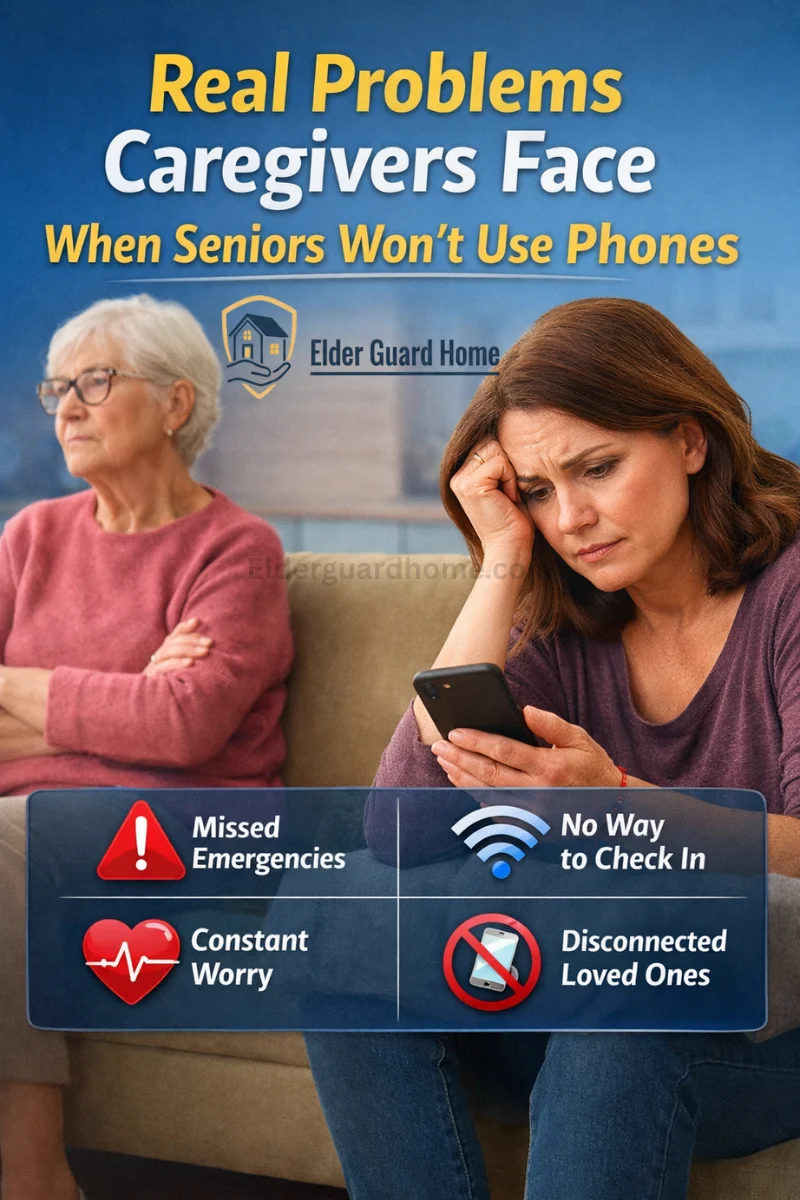
Trying to monitor elderly parents without smartphone creates challenges most people don’t talk about.
Caregivers often feel stuck between safety and respect.
You want to help, but you don’t want to control.
These problems are real, common, and valid.
Let’s break them down clearly.
Seniors Feel Overwhelmed by Apps and Notifications
For many seniors, smartphones are not “simple tools.”
They feel loud, confusing, and stressful.
Common struggles seniors face:
- Too many apps they don’t recognize
- Constant pop-ups, alerts, and sounds
- Fear of clicking the “wrong” thing
- Confusion between calls, messages, and notifications
To a caregiver, these may feel minor.
To a senior, they feel exhausting.
Many seniors say things like:
- “I don’t understand what this phone wants from me.”
- “It keeps beeping for no reason.”
- “I’m afraid I’ll break it.”
This is why monitor a senior who refuses to use smartphone becomes necessary.
If the tool causes stress, it won’t be used.
When seniors feel overwhelmed:
- They turn phones off
- They ignore alerts
- They stop charging devices
- They hide the phone altogether
That makes smartphone-based monitoring unreliable.
Fear of Being Watched or Losing Privacy
One of the biggest hidden issues is privacy fear.
Many seniors worry that monitoring means spying.
They fear:
- Being watched all the time
- Losing independence
- Being judged for small mistakes
- Becoming “a burden”
This fear is emotional, not technical.
Common thoughts seniors have:
- “Are they checking on me every minute?”
- “Do they think I can’t take care of myself?”
- “Am I losing control of my own home?”
Smartphones make this fear worse.
Cameras, apps, and tracking feel invasive when poorly explained.
This is why monitor elderly parents without a smartphone often feels safer to them.
Non-phone solutions feel:
- Less personal
- Less intrusive
- More passive
- More respectful
When seniors feel respected, they cooperate more.
Privacy-first monitoring builds trust instead of resistance.
Caregivers Live Far Away and Feel Helpless
Distance makes everything harder.
Many caregivers live:
In another city
In another state
Or even another country
When seniors won’t use phones, caregivers feel powerless.
Common caregiver worries include:
“What if they fall and can’t call me?”
“What if something happens at night?”
“How do I know they’re okay today?”
Without smartphones, traditional check-ins fail.
Caregivers often rely on:
Missed phone calls
Delayed responses
Short, vague answers
This creates constant anxiety.
Living far away means:
You can’t drop by quickly
You can’t visually check safety
You rely on limited information
That’s why many caregivers search for ways to monitor elderly parents without smartphone.
They need:
Visual reassurance
Passive safety checks
Non-intrusive monitoring
Systems that work even if seniors forget
Distance doesn’t mean lack of care.
It means caregivers need smarter tools.
And the right solutions can restore peace of mind—without forcing technology on seniors.
How to Monitor a Senior Who Refuses to Use Smartphone (Practical Solutions)
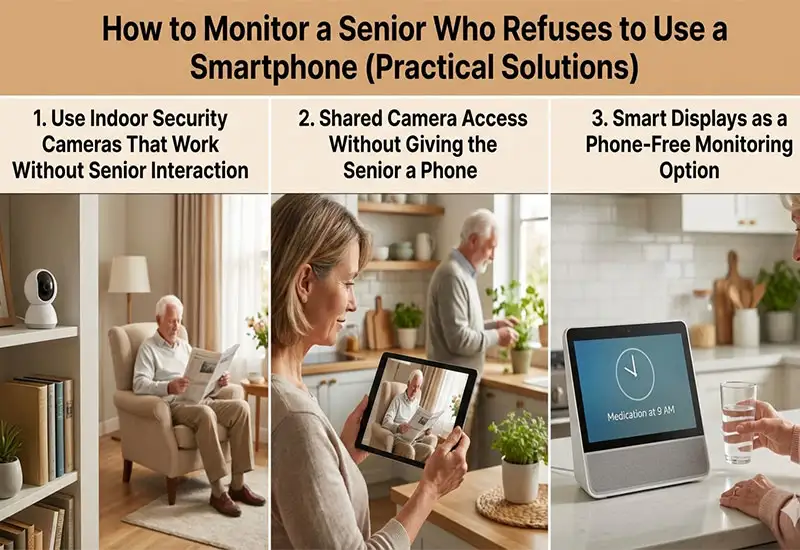
If you’re trying to monitor a senior who refuses to use smartphone, the key is this:
👉 The solution should work for you, not demand effort from them.
Many caregivers fail because they choose tools that require seniors to learn, tap, or remember.
Instead, the safest approach is passive monitoring—systems that quietly work in the background.
Below are proven, real-world solutions caregivers are using successfully.
1. Use Indoor Security Cameras for Senior monitoring without an app
One of the most reliable solutions is indoor security cameras for seniors that do not require any daily action from the elderly person.
These are cameras that don’t require a smartphone for the senior at all.
Here’s why they work so well:
The caregiver controls everything
The camera stays plugged in and runs automatically
The senior does nothing—no apps, no buttons, no reminders
This makes monitoring feel invisible rather than invasive.
How this helps caregivers:
You can check live video anytime
You can confirm daily movement (waking up, walking, eating)
You can spot safety issues early
Meanwhile, for seniors:
No learning curve
No notifications
No feeling of being “tracked”
Because the camera blends into the home, it feels like part of the environment—not technology forced on them.
This is true passive monitoring, and it works especially well for seniors who resist phones out of frustration or fear. If you have Wyze camera, you can read our No-smartphone Wyze camera guide for complete information.
2. Shared Camera Access to Monitor seniors without smartphon
Another effective option for senior monitoring without smartphone use is shared camera access—without ever handing the senior a device.
Here’s how it works in practice:
The camera is set up once (by you or during installation)
The account is managed entirely by the caregiver
The senior never logs in, taps, or interacts with anything
Key setup features to look for:
Shared accounts or multi-user access
Caregiver-only permissions
Camera viewing through a web browser
This is powerful because you don’t need:
A phone near the senior
Their password
Their involvement
You can check in from your laptop, tablet, or work computer.
Even better, shared access allows:
Multiple family members to monitor together
One trusted person to handle alerts
Clear boundaries so seniors don’t feel overwhelmed
This approach respects independence while still providing safety.
3. Smart Displays as a Phone-Free Monitoring Option
For caregivers looking for home monitoring devices for elderly living alone, smart displays are an underrated option.
Devices like Echo Show or Google Nest Hub offer something unique:
A screen that stays in one place
No tapping or scrolling
Familiar, TV-like behavior
For seniors, these feel less like technology and more like a household appliance.
Why smart displays work well:
Large screen = easy viewing
No complex menus
Can show live camera feeds automatically
From a caregiver’s perspective:
You get visual reassurance at a glance
You can check activity without calling
You don’t rely on the senior to answer
For seniors:
No phone anxiety
No learning curve
No sense of being monitored constantly
Smart displays quietly bridge the gap between safety and dignity.
They are especially helpful for seniors who live alone but want to remain independent.
The Big Takeaway
If a senior refuses to use a smartphone, forcing one will only backfire.
The safest strategy is:
Remove friction
Reduce interaction
Let technology work silently
When you choose tools designed for caregivers—not seniors—you create safety without conflict.
And that’s exactly what long-term monitoring should feel like. Learn more about non-wearable fall detection options.
Best Monitoring Devices to monitor elderly parents without a smartphone
Here are reliable monitoring options for seniors who won’t use smartphones. These solutions rely on SMS alerts, landline calls, or caregiver dashboards.
When a senior won’t use a phone, the right home monitoring devices for elderly living alone can make all the difference. They offer peace of mind without tech stress for your loved ones. Below are some excellent products you can consider — along with honest pros, cons, and reasons to choose each model.
Wyze Cam v3 — Best Indoor Camera to check on elderly parents remotely
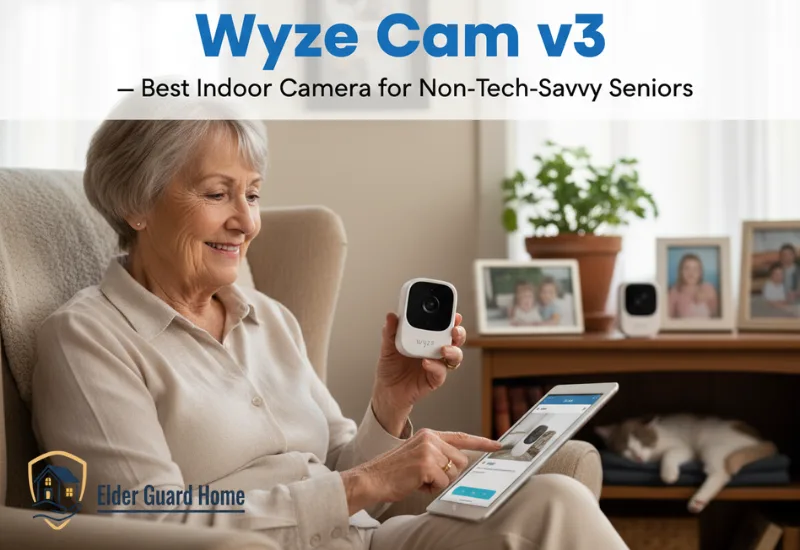
When a senior refuses to use a smartphone, the right indoor camera lets you monitor without daily interaction from them.
These cameras provide clear video and motion detection while you control everything from your own device or shared account. The best models work quietly in the background, giving caregivers reliable visibility into activity patterns without confusing alerts for seniors.
This makes them ideal home monitoring devices for elderly living alone who need safety but not smartphone tech.
Why this is great:
When you need to monitor a senior who refuses to use a smartphone, the Wyze Cam v3 stands out as one of the most reliable and senior-friendly options available.
Unlike phones or apps that seniors may ignore or fear, this camera quietly works in the background while giving caregivers clear visibility and peace of mind.
Pros
- Excellent video quality: Crisp 1080p resolution with true color night vision helps you see faces and activity even in dim light.
- Passive monitoring: The senior doesn’t need to touch anything — no smartphone app, no buttons to press.
- Motion detection: Alerts can be routed to the caregiver’s device, keeping you informed without bothering the senior.
- Flexible placement: Works on tables, shelves, or mounted on walls — no complicated installation.
- Affordable price: Great performance without a premium cost.
Cons:
- Requires Wi-Fi: The camera needs a stable Wi-Fi connection to stream video and send alerts.
- App needed for setup: Caregivers will use the Wyze app initially, even though seniors will not touch it.
- Cloud storage optional paid plan: Free cloud storage is limited, but paid plans unlock more history.
Why choose Wyze Cam v3:
Many indoor cameras promise great features, but Wyze Cam v3 delivers clarity, value, and ease of use — all without expecting the senior to manage technology.
Unlike basic plug-and-play cameras that only record low-quality video, Wyze Cam v3 gives:
- A clear picture you can trust
- Night vision that actually works
- Motion detection that helps you prevent missed safety signs
Because nothing is more important than being able to check in on your loved one without stress, this camera strikes the perfect balance between functionality and simplicity.
Best for:
- Caregivers who want reliable indoor monitoring without daily tech interaction from seniors
- Homes where a senior spends most of their time in common areas
- Families who want motion alerts, video history, and easy viewing
- Elderly parents who feel overwhelmed by phones and apps
Quick Caregiver Tip
Place the Wyze Cam v3 in:
- Hallways with the most activity
- Living rooms where your parent spends time
- Near doorways to catch movement
These placements help you see patterns instead of random clips.
👉 Ready to see current pricing and availability?
Amazon Echo Show 8 Smart Display with Alexa — Best No-app monitoring solutions for seniors
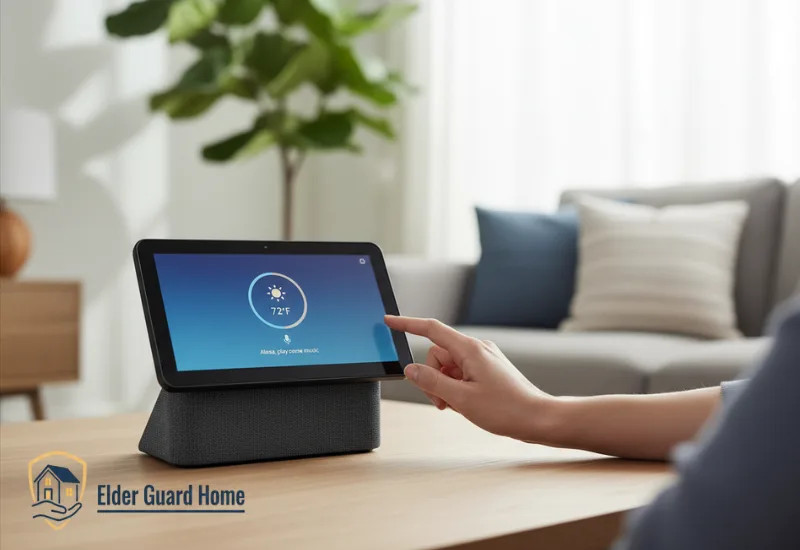
A smart display lets you view camera feeds, check alerts, or see daily routines without requiring a senior to touch a phone.
These home monitoring devices for elderly living alone make visual reassurance simple and stress-free.
With voice control and a large screen, caregivers can check in at any time while seniors enjoy technology that feels more like a home helper than a gadget.
This makes smart displays ideal for families who want monitoring without smartphone anxiety.
Why this is great:
When a senior resists using a smartphone but you still want visual reassurance and easy monitoring, the Amazon Echo Show 8 offers one of the simplest, most caregiver-friendly solutions. This smart display brings monitoring into the home in a way that feels natural and non-intrusive — no tapping, no apps, no tech stress for your loved one.
Pros:
- Large, easy-to-read screen: The 8″ display makes checking camera feeds and alerts visible without a phone.
- Hands-free control: Seniors can use simple voice commands like “Alexa, show the front door camera.”
- Works with many cameras: Compatible with Wyze, Ring, and other smart cameras (via Alexa).
- Reminder & comfort features: Allows reminders for meds, appointments, and events — helpful features for daily life.
- Entertainment + safety: Plays music, shows photos, and displays news — but also supports practical viewing.
Cons:
- Requires Wi-Fi: Needs a stable internet connection for camera feeds and voice functions.
- Initial setup still needs a caregiver: You will need a phone or Alexa app once to link accounts and cameras.
- Not a dedicated security panel: Not designed solely as a camera monitor — it’s a multi-purpose device.
Why choose Amazon Echo Show 8:
The Echo Show 8 is one of the best home monitoring devices for elderly living alone because it turns camera feeds into something familiar and easy. Instead of teaching seniors to navigate an app, you bring the technology to them in a friendly, conversational way. Unlike phones or tablets that feel foreign to many seniors, this device blends into daily life:
- It can show live camera feeds on command
- It reminds them of routines without stress
- It provides a familiar “household screen” vibe instead of “scary tech”
For caregivers, it means remote visibility without forcing a smartphone onto someone who won’t use one — and that’s a real win in long-term senior care.
Best for:
- Seniors who resist smartphone use but enjoy simple voice interaction
- Caregivers who want a central home screen for camera access
- Homes where multiple family members check on seniors without logging into phones
- Situations where passive visual monitoring improves reassurance
Quick Caregiver Tip
Place the Echo Show 8:
- In the living room
- Near the main seating area
- Within easy sight of the senior’s usual activity spots
This way, it becomes part of the environment — not another device to resist.
👉 Want to check the latest price and availability?
Ring Motion Sensor — Best Motion Alerts for Senior monitoring without an app
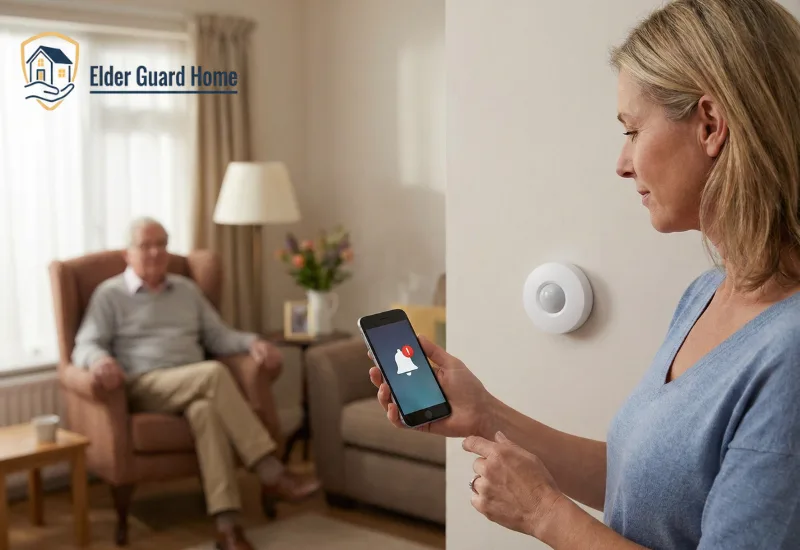
Motion alert systems send push or chime notifications when movement occurs in key areas, giving caregivers peace of mind without intrusive video watching.
These tools are perfect to monitor a senior who refuses to use smartphone, especially at night or in high-risk zones like stairs and bathrooms. Smart sensors work best when the home is already safe. Check out this bathroom fall prevention guide for seniors to secure slippery floors first.
With easy setup and simple alerts, caregivers can track unusual activities in real time and respond quickly if something seems off.
Motion alerts add a layer of safety that supports visual cameras and passive monitoring.
Why this is great:
When you want subtle, non-intrusive monitoring for seniors who refuse smartphones, a motion alert system is a powerful ally. The Ring Motion Sensor delivers timely alerts when movement happens in key areas, helping caregivers stay informed without overwhelming the senior with tech.
This is a great add-on to cameras, or a stand-alone alert tool for routines and night-time checks.
Pros:
Instant motion alerts: Get notified the moment activity is detected — no camera review needed
Works with Ring ecosystem: Syncs easily with Ring cameras and the Ring app
Low maintenance: Simple install and reliable performance
Adjustable sensitivity: Helps reduce false alerts from pets or fans
Wireless convenience: No extra wiring required
Cons:
Requires Ring app for alerts: Caregiver must use the app to receive notifications
Battery powered: Sensors require battery changes over time
No video by itself: Works best paired with a camera for full context
Why choose this:
This motion sensor is one of the most reliable device to monitor a senior who refuses to use smartphone because it acts as an early warning system. Instead of watching hours of footage, caregivers get alerts only when there’s activity — making it easy to know when something’s different.
Pair it with an indoor camera and a smart display, and you create a complete passive monitoring system:
Motion triggers the alert
Camera records the event
Smart display shows the feed if needed
This layered approach gives caregivers confidence while keeping tech anxiety low for the senior.
Best for:
Caregivers needing motion alerts without cameras constantly streaming
Seniors whose daily routines need passive monitoring
Hallways, bathrooms, or entry points where movement matters
Families wanting alerts without forcing smartphone use on the senior
Quick Caregiver Tip
Install motion sensors:
Near stairs
At bathroom entrances
Around the main living area
These are the spots where silent movement patterns matter most. To improve security, you have to pair Ring motion sensor with Ring Doorbell. Read our latest guide on Ring Doorbell installation without drilling.
👉 Ready to secure motion alerts for your loved one?
Product Comparison: Simple monitoring devices for elderly parents
Below is a simple comparison of monitoring options that work without a smartphone. These monitoring devices work without forcing seniors to use a smartphone.
| Product | Best For | Key Features | Approx. Price | Buy |
|---|---|---|---|---|
| Wyze Cam v3 Indoor Security Camera | Non-tech-savvy seniors Passive indoor monitoring | No senior interaction required – Night vision – Motion alerts for caregivers | $35 – $45 | Check Price |
| Echo Show 8 Smart Display | Phone-free monitoring Visual reassurance | Live camera viewing – Voice control – Large easy-to-see screen | $120 – $150 | View on Amazon |
| Ring Motion Sensor Motion Alerts | Caregivers needing alerts Night-time monitoring | Instant motion notifications – No camera anxiety – Works silently in background | $30 – $40 | Buy Now |
How These Devices Work Together
For a strong monitoring setup:
✔ Use the indoor camera for regular video checks
✔ Add a smart display for easy home access
✔ Use the motion alert transmitter for quick emergency detection
That combination gives you maximum visibility without forcing smartphones on seniors.
Best Placement Tips
Indoor camera: Living room, hallway, or main activity room.
Smart display: Kitchen or common area where seniors spend most time. For ultimate kitchen safety, read our senior friendly kitchen safety gadgets guide.
Motion alert transmitter: Near bed or bathroom for sleep/activity alerts.
These devices offer peace of mind, ease of use, and support caregivers in monitoring elderly living alone without tech struggles.
Just choose the product that matches your family’s setup and needs.
How to Monitor Elderly Parents Remotely Without Invading Privacy
Caring for aging parents often creates a difficult emotional balance. On one hand, you want to keep them safe. On the other hand, you want to protect their independence and dignity. Many caregivers constantly ask themselves how to monitor elderly parents remotely without making them feel controlled or uncomfortable.
Fortunately, safe monitoring does not have to mean surveillance. When done correctly, remote monitoring can actually strengthen trust and improve peace of mind for both caregivers and seniors.
1. Focus on Ethical Monitoring First
Before installing any monitoring device, it is important to understand one simple principle:
👉 Safety should never come at the cost of dignity.
Ethical monitoring means choosing tools that support independence rather than replacing it. Instead of watching every moment of a senior’s life, caregivers should focus on:
Monitoring safety risks
Detecting emergency situations
Observing daily activity patterns
For example, indoor cameras placed in shared spaces like living rooms or entryways can help caregivers notice unusual inactivity. However, they should never be installed in private areas like bathrooms or bedrooms unless there is a serious medical necessity and full consent.
This approach allows caregivers to practice respectful and non-intrusive elderly monitoring without technology stress.
2. Use a Dignity-First Monitoring Approach
Many seniors resist monitoring devices because they fear losing independence. Therefore, caregivers should introduce monitoring tools as support systems, not control tools.
You can do this by:
Explaining that devices are for emergency safety
Allowing seniors to help decide placement locations
Avoiding hidden or secret monitoring equipment
Choosing passive monitoring tools that require no senior interaction
Devices like indoor cameras or motion alerts work well because they operate quietly in the background. Seniors do not need to learn apps or manage notifications, which reduces anxiety and resistance.
Over time, seniors often feel more comfortable knowing help is available if something goes wrong.
3. Build Trust Through Open Communication
Trust is the most important factor when learning how to monitor elderly parents remotely. Without trust, even the best technology can create emotional distance.
Here are simple ways caregivers can build that trust:
Talk Before Installing Devices
Explain clearly:
- Why monitoring is needed
- What data is being collected
- Who can access the information
Reassure Privacy Control
Let seniors know they can:
- Request camera repositioning
- Turn devices off temporarily
- Set monitoring schedules
Keep Monitoring Purpose Focused
Avoid checking footage constantly. Instead, monitor only when alerts or unusual activity occurs. This shows respect and prevents seniors from feeling watched all the time.
When seniors feel included in decisions, they are far more likely to accept home monitoring devices for elderly living alone.
4. Choose Monitoring Tools That Feel Supportive, Not Controlling
The best monitoring systems are those that:
Run silently in the background
Require little or no senior interaction
Alert caregivers only when necessary
Maintain independence
Examples include:
Motion sensors for daily routine tracking
Indoor cameras for emergency awareness
Smart displays that allow easy visual check-ins
These tools provide reassurance without overwhelming seniors with technology.
What NOT to Do When a Senior Refuses Technology
When seniors resist technology, many caregivers unintentionally make mistakes that increase resistance. Although these actions often come from love and concern, they can damage trust and reduce cooperation.
Understanding what to avoid is just as important as knowing what solutions to use.
❌ Don’t Force Apps or Smartphones
One of the biggest mistakes caregivers make is trying to push seniors into using apps or smartphones they are uncomfortable with.
Many seniors refuse technology because they feel:
Overwhelmed by complex interfaces
Afraid of making mistakes
Worried about scams or privacy risks
Forcing technology often leads to frustration and emotional withdrawal. Instead, caregivers should focus on senior monitoring without smartphone dependency.
Passive monitoring tools allow caregivers to manage everything while seniors continue living comfortably without digital stress.
❌ Don’t Overload Seniors With Multiple Devices
Another common mistake is installing too many gadgets at once. While caregivers may think more devices increase safety, seniors often see them as confusing and intrusive.
Technology overload can cause:
Anxiety about operating devices
Resistance to monitoring solutions
Reduced trust in caregivers
Instead, introduce monitoring slowly and intentionally.
Start with one simple device such as:
An indoor safety camera
A motion alert system
A smart display for easy communication
Once seniors feel comfortable, additional tools can be added gradually.
❌ Don’t Remove Their Sense of Control
Seniors value independence more than caregivers sometimes realize. Removing decision-making power can make seniors feel helpless or disrespected.
Avoid actions like:
Installing monitoring devices secretly
Ignoring their concerns about privacy
Making safety decisions without discussion
Instead, caregivers should involve seniors in every step. Ask questions like:
“Where would you feel comfortable placing this device?”
“Would you prefer alerts only during nighttime?”
“What concerns do you have about monitoring?”
This collaborative approach helps seniors maintain autonomy while still benefiting from safety technology.
✔ Remember: Independence Builds Cooperation
Ironically, seniors who feel respected are more likely to accept monitoring solutions. When caregivers prioritize dignity and independence, technology becomes a supportive partner rather than a source of conflict.
This mindset is essential when implementing elderly monitoring without technology stress and helps families create safer, more trusting relationships.
Frequently Asked Questions
Can you monitor a senior without a smartphone?
Yes, it is completely possible to monitor seniors without requiring them to use a smartphone. Many modern home monitoring devices for elderly living alone allow caregivers to control everything remotely.
You can monitor seniors using:
Indoor security cameras with caregiver-only app access
Motion sensors that send alerts to caregivers
Smart displays that allow video check-ins without senior interaction
Browser-based monitoring systems
These solutions work well because seniors do not need to learn or operate any technology themselves.
What if my parent refuses all technology?
If your parent refuses technology, the best approach is to focus on trust and gradual introduction rather than forcing devices.
You can:
Start with non-intrusive safety tools like motion sensors
Explain monitoring as emergency protection, not surveillance
Allow them to choose device placement
Introduce one device at a time
Respect their privacy concerns
Often, seniors become more comfortable with Systems that alert without smartphone when they feel included in decisions.
What is the least intrusive way to monitor seniors?
The least intrusive way to monitor seniors is through passive monitoring systems that operate quietly in the background.
Examples include:
Motion sensors that track daily activity patterns
Entryway cameras instead of full-home surveillance
Smart displays that allow quick visual check-ins
Emergency alert systems
These solutions help caregivers monitor elderly parents without a smartphone while preserving independence and dignity.
Are cameras safe and ethical for elderly monitoring?
Yes, cameras can be safe and ethical when used responsibly and transparently. Ethical monitoring focuses on safety rather than constant surveillance.
Best practices include:
Always informing seniors before installing cameras
Avoiding private areas like bathrooms and bedrooms
Using cameras only for emergency monitoring
Limiting access to trusted caregivers
Allowing seniors to control monitoring preferences
When used correctly, cameras provide reassurance and help caregivers monitor elderly parents remotely while maintaining respect and trust.
Do seniors need to interact with monitoring devices?
No, most modern indoor security cameras for seniors and monitoring systems are designed for passive use. Caregivers manage the devices remotely.
Seniors typically only need to:
Continue daily routines normally
Occasionally communicate through smart displays (optional)
Allow devices to remain powered and connected
This makes monitoring ideal for seniors who feel overwhelmed by apps, smartphones, or complex technology.
Caregiver Quick Safety Checklist: Monitoring Seniors Without Smartphones
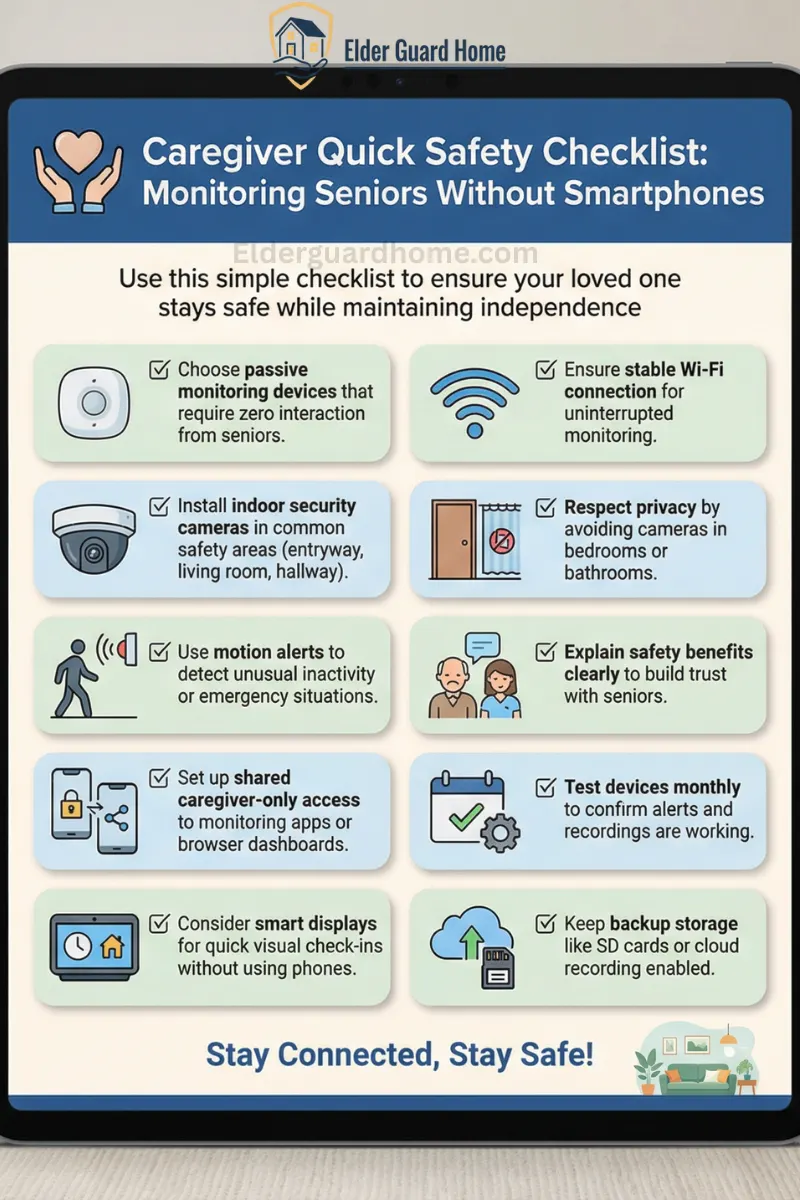
Use this simple checklist to ensure your loved one stays safe while maintaining independence. For complete safety guidelines, download Free Printable Home Safety Checklist for Seniors.
✔ Choose passive monitoring devices that require zero interaction from seniors
✔ Install indoor security cameras in common safety areas (entryway, living room, hallway)
✔ Use motion alerts to detect unusual inactivity or emergency situations
✔ Set up shared caregiver-only access to monitoring apps or browser dashboards
✔ Consider smart displays for quick visual check-ins without using phones
✔ Ensure stable Wi-Fi connection for uninterrupted monitoring
✔ Respect privacy by avoiding cameras in bedrooms or bathrooms
✔ Explain safety benefits clearly to build trust with seniors
✔ Test devices monthly to confirm alerts and recordings are working
✔ Keep backup storage like SD cards or cloud recording enabled
💡 Pro Tip: Start with one monitoring device first. Gradual introduction reduces resistance and builds acceptance. To make your seniors more secure, read our guide on Best security systems for elders living alone.
Final Thoughts on Monitoring Seniors Who Refuse Smartphones
Monitoring seniors who refuse smartphones is possible by choosing systems that send alerts via SMS, automated calls, or caregiver dashboards. The key is simplicity and reliability.
Learning how to monitor a senior who refuses to use smartphone can feel emotionally exhausting. Many caregivers experience guilt, stress, and constant worry. However, you are not alone in this journey. Thousands of families face similar challenges every day.
Thankfully, modern monitoring solutions now respect independence while improving safety. You do not need to force technology on your loved one. Instead, you can choose passive monitoring tools that work quietly. These solutions allow seniors to live comfortably and confidently.
Most importantly, start with small and comfortable steps:
Introduce one safety device at a time
Explain safety benefits instead of control
Allow seniors to share their preferences
Focus on trust before technology
Even simple tools like indoor cameras, smart displays, or motion alerts can provide peace of mind. These No-app monitoring solutions for seniors help caregivers stay connected without overwhelming seniors.
If you feel unsure where to begin, consider starting with beginner-friendly monitoring devices mentioned above. These tools are designed specifically for non-tech-savvy seniors and remote caregivers.