
Families often ask one urgent question:
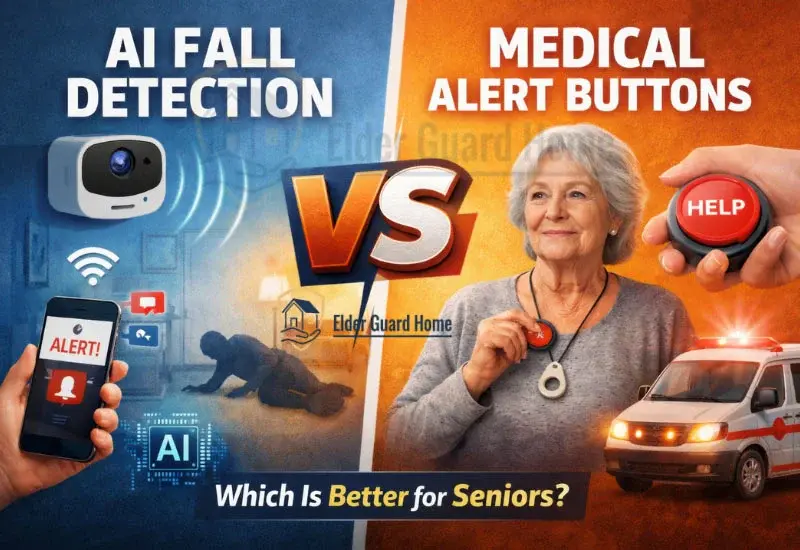
Should we install AI Fall Detection vs Medical Alert Buttons?
Both promise safety. Both claim reliability. But they work in completely different ways.
If you’re new to AI-based systems, first read our foundational guide on how non-wearable monitoring works.
This article goes deeper. We will not repeat how sensors work. Instead, we will compare:
Real emergency performance
Human behavior factors
Response time differences
Cost over years
When each system truly makes sense
Let’s break it down honestly.
AI Fall Detection vs Medical Alert Buttons — What’s the Core Difference?
The difference is simple.
AI fall detection is passive.
Medical alert buttons are active.
AI systems monitor continuously. They detect falls automatically.
Medical alert buttons require the senior to press something.
That one difference changes everything in an emergency.
Automatic Fall Detection vs Emergency Buttons — Which Is More Reliable in Real Emergencies?
When comparing automatic fall detection vs emergency buttons, reliability depends on one question:
Can the person respond?
What Happens If the Senior Is Unconscious?
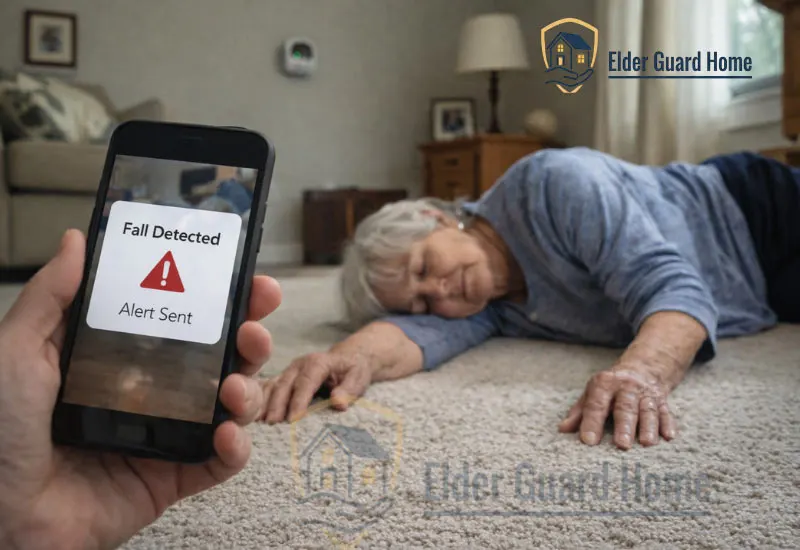
Falls often result in:
Head injury
Shock
Temporary unconsciousness
According to the CDC, more than 3 million older adults are treated in emergency departments for falls each year (CDC.gov).
If someone is unconscious, they cannot press a button.
In this scenario, automatic fall detection vs emergency buttons clearly favors AI. The system detects motion patterns and triggers alerts without human input.
Buttons fail silently in this situation.
What If They Forget to Press the Button?
This is more common than most families realize.
Many seniors:
Panic after falling
Feel embarrassed
Believe they can get up
Simply forget
A study published in the Journal of the American Geriatrics Society found that many older adults underreport falls because they fear loss of independence.
If someone delays pressing a button, response time increases.
AI systems remove hesitation. They act immediately.
False Alarms in AI vs Missed Alerts in Button Systems
No system is perfect.
AI may trigger alerts during:
Sudden sitting
Lying down quickly
Exercise movements
However, button systems have a different failure mode: missed alerts.
A false alarm is inconvenient.
A missed alert is dangerous.
From a risk perspective, many families prefer a system that occasionally overreacts rather than one that depends on human reaction.
Medical Alert System Without Wearable vs AI Home Monitoring
When families search for a medical alert system without wearable, they are usually concerned about compliance.
And compliance is a real problem.
Compliance Problem — Do Seniors Actually Wear Panic Buttons?
Let’s be honest.
Many seniors:
Remove pendants at night
Forget to wear them after showering
Refuse to wear visible devices
Medical alert companies often report that inconsistent usage reduces system effectiveness.
AI home monitoring eliminates this issue. There is nothing to wear. Nothing to remember.
That alone makes a difference in long-term safety.
Cognitive Decline and Button Usage Challenges
For seniors with mild cognitive impairment or early dementia, pressing a button during stress is not guaranteed.
Cognitive impairment can affect decision-making during emergencies, which may reduce the likelihood of activating a wearable alert device under stress.
Alzheimer’s Association research shows that cognitive decline affects decision-making under pressure (Alz.org).
In these cases, passive monitoring provides more reliable protection.
Night-Time Falls and Silent Emergencies
Night falls are common.
Poor lighting. Bathroom trips. Dizziness.
At night:
Pendants may not be worn
Phones are out of reach
Panic delays reaction
AI monitoring operates 24/7.
This makes automatic fall detection vs emergency buttons especially important for seniors living alone.
Best Fall Alert System for Seniors Living Alone
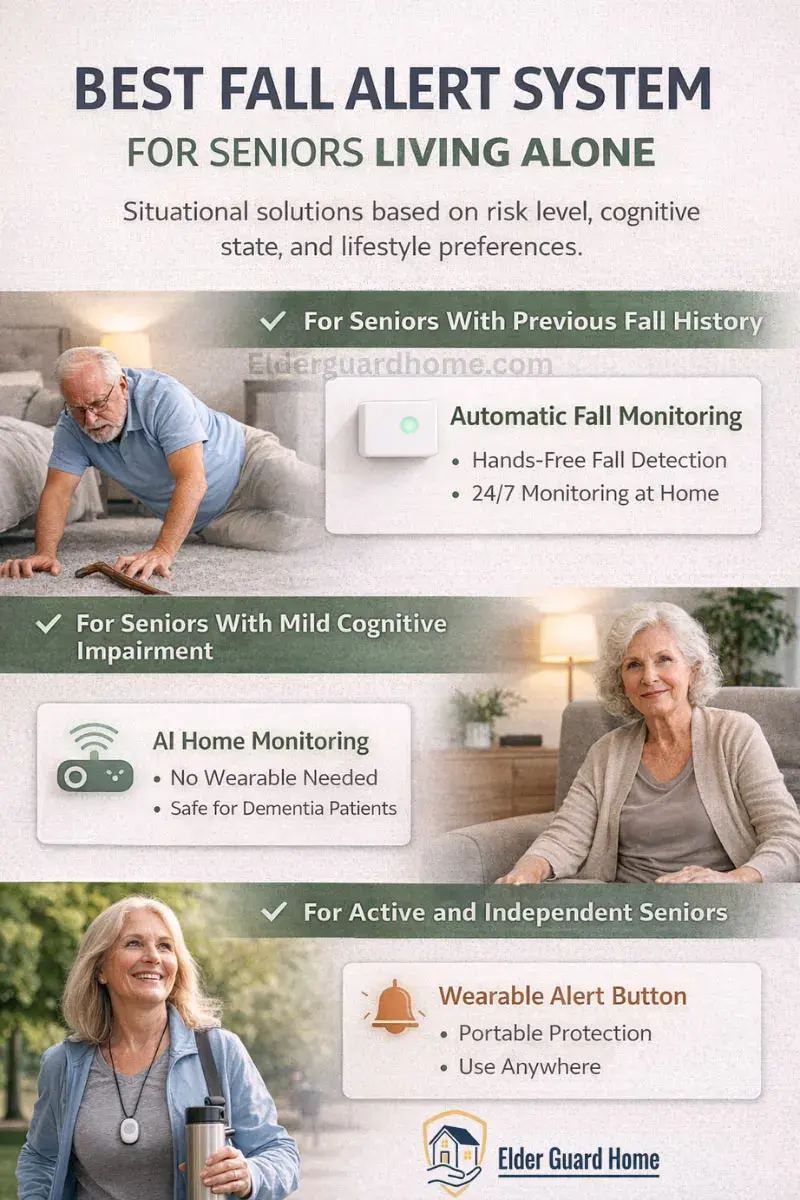
Choosing the best fall alert system for seniors living alone depends on risk level, mobility, and comfort with technology.
Some seniors need automatic monitoring inside the home. Others prefer something portable they can wear outdoors.
Below are practical options in both categories.
For Seniors With Previous Fall History
If someone has already fallen:
Risk is higher
Fear increases
Emergency probability rises
In these cases, relying on a wearable button alone may not be sufficient.
Automatic monitoring reduces dependency on reaction time.
For Seniors With Mild Cognitive Impairment
Passive monitoring is often safer.
Button systems require memory, awareness, and physical ability.
AI systems operate regardless of mental clarity.
For Active and Independent Seniors
Here is where medical alert buttons still make sense.
If someone:
Is mentally sharp
Is comfortable wearing devices
Wants portable protection outside home
Then a wearable system provides mobility benefits.
AI home monitoring typically works indoors only.
So the best fall alert system for seniors is situational.
Best Medical Alert Buttons (Wearable)
If the senior is active or frequently leaves home, a wearable button provides mobility coverage.
1. Medical Guardian Classic Guardian
Best for: 24/7 professional monitoring
- Waterproof wearable pendant
- One-button emergency access
- Monitoring center support
- Optional fall detection upgrade
Why it’s useful:
Professional monitoring centers respond immediately and contact emergency services if needed.
Limitations:
Requires consistent wearing. Monthly subscription required.
2. CallToU Caregiver Pager Alert System
Best for: Budget-friendly home alert system
- Simple push-button transmitter
- Loud receiver alerts
- No monthly fee
Why it’s useful:
Affordable option for home-based alerting when caregivers are nearby.
Limitations:
Does not automatically detect falls. Not suitable for seniors living completely alone without a nearby responder.
Best AI Fall Detection Systems for Seniors Living Alone (Non-Wearable)
1. Wyze Cam v3 Pro Outdoor/Indoor (AI Motion + Person Detection)
Best for: AI motion alerts, day/night monitoring, overall value
Key Features:
- 2.5K color night vision
- AI person detection — alerts you when someone enters the room
- Motion detection with low false triggers
- Works indoor or outdoor
- Alexa and Google Assistant compatible
- MicroSD local recording support
Why it’s useful for seniors:
Automatic motion alerts help caregivers see unusual activity (possible falls) without wearable buttons.
Limitations:
Not a medical-certified fall detector; motion alerts should be part of a caregiver monitoring strategy.
2. Ring Indoor Cam (2nd Gen) — Smart Security with Motion Alerts
Best for: Home integration and caregiver notifications
Key Features:
Customizable motion zones
Real-time alert notifications
Works with Alexa
Two-way talk
Why it’s useful for seniors:
Caregivers can receive alerts instantly when motion is detected in key areas like hallways or living rooms.
Limitations:
Doesn’t send automatic fall alerts — but can be part of a monitoring strategy.
How to Use These Devices Together
Most families find a hybrid approach works best:
🔹 Non-wearable AI monitoring cameras inside the home
+
🔹 Medical alert buttons (wearable) for outdoor or manual emergencies
This combo covers:
- Automatic detection without requiring a button
- Professional response if needed
- Caregiver visual and motion alerts
Example strategy:
- Place AI monitoring in high-risk areas (bathroom, living room, hallway).
- Use wearable alert for outdoor and mobile protection.
Bathrooms are one of the highest-risk areas for senior falls due to wet tiles and hard surfaces. For a detailed room-by-room breakdown, read our Bathroom Fall Prevention Guide for Seniors to learn how grab bars, non-slip flooring, and lighting upgrades reduce risk significantly.
Comparison — Non-Wearable vs Wearable for Seniors
| Feature | Non-Wearable AI Monitoring | Wearable Medical Alert Button |
|---|---|---|
| Works Automatically | ✔ | ✘ |
| Mobility (Outside Home) | ✘ | ✔ |
| Professional Monitoring Available | Limited / Optional | ✔ 24/7 |
| Indoor Fall Coverage | ✔ | Depends on Wearing Device |
| No Device to Wear | ✔ | ✘ |
| Best for Cognitive Decline | ✔ | ✘ |
| Works During Unconscious Fall | ✔ | ✘ |
For seniors living alone full-time, passive monitoring reduces dependency on reaction time.
However, combining both systems offers maximum coverage:
AI for indoor automatic detection
Wearable button for outdoor mobility
This hybrid approach closes most safety gaps.
Response Time Comparison — AI Alerts vs Monitoring Center Systems
Response speed matters.
How Medical Alert Buttons Work
Typical process:
Senior presses button
Signal goes to monitoring center
Operator calls through device speaker
Operator assesses situation
Emergency services dispatched if needed
This human assessment step adds safety. But it also adds time.
How AI Fall Detection Alerts Work
Depending on the system:
Fall detected
Alert sent to caregiver app
SMS or phone alert triggered
Escalation protocol begins
Some systems integrate emergency services directly.
However, response depends on:
WiFi stability
App notification settings
Contact availability
So response time is not always faster — it depends on configuration.
This is why families must compare systems carefully.
Cost Comparison: AI Fall Detection vs Medical Alert Buttons Over 3 Years
Cost is often overlooked.
Let’s compare realistic scenarios.
Medical Alert Buttons
Typical costs:
Device: $50–$150
Monthly monitoring: $25–$50
Fall detection upgrade: +$10/month
Over 3 years:
$35/month average = $1,260
Plus hardware and activation fees.
Total: ~$1,400–$1,600
AI Fall Detection Systems
Costs vary widely:
Hardware: $200–$500 per room
Subscription (if required): $10–$30/month
If covering multiple rooms, hardware costs increase.
Over 3 years:
Moderate setup may reach $1,000–$1,800 depending on scale.
So financially, they are comparable.
Cost should not be the only deciding factor.
AARP reports that nearly 77% of adults over 50 prefer to age in place, increasing demand for reliable in-home monitoring systems.
Privacy and Lifestyle Impact — Wearing a Button vs Invisible Monitoring
This is emotional.
Some seniors dislike:
Visible medical devices
Feeling “monitored”
Being labeled as fragile
Buttons are visible. AI systems are subtle.
However, camera-based systems raise privacy concerns.
If privacy is important, radar-based or non-visual AI systems may be preferable.
For more on privacy differences, see our guide on Radar vs Camera Fall Detection for Seniors.
Lifestyle comfort directly affects compliance.
When Medical Alert Buttons Still Make More Sense
Let’s be fair.
Buttons are still ideal when:
Senior leaves home frequently
Lives independently and is mentally sharp
Wants portable outdoor protection
Budget is limited
They are simple and proven.
Medical alert systems have been around for decades.
When AI Fall Detection Is the Smarter Long-Term Investment
AI becomes the smarter choice when:
Senior lives alone
There is cognitive decline
Previous falls occurred
Night-time risk is high
Compliance is inconsistent
In these cases, passive monitoring reduces dependency on human behavior.
That is why the debate around AI Fall Detection vs Medical Alert Buttons increasingly favors AI for higher-risk seniors.
Can You Use Both Together?
Yes.
Many families combine:
Home AI monitoring
Portable medical alert button
This hybrid approach:
Covers indoor passive detection
Provides outdoor protection
Reduces risk gaps
It also improves peace of mind.
Frequently Asked Questions
Is AI fall detection better than a medical alert button?
It depends on risk level. For seniors with fall history or cognitive decline, AI often provides more consistent protection.
Do medical alert buttons detect falls automatically?
Some include fall detection sensors. However, many still require manual pressing.
Which works if someone is unconscious?
AI systems detect automatically. Buttons cannot be pressed if the person is unconscious.
Which is better for seniors living alone?
Passive monitoring usually provides stronger protection, especially at night.
Is a medical alert system without wearable possible?
Yes. AI-based systems provide monitoring without requiring pendants or wristbands.
Final Verdict: AI Fall Detection vs Medical Alert Buttons — Which One Should You Choose?
There is no universal answer.
If independence and mobility matter most, medical alert buttons work well.
If reliability during unconscious falls is the priority, AI monitoring provides stronger safety.
The smartest approach is risk-based.
Assess:
Fall history
Cognitive ability
Lifestyle
Night-time vulnerability
Willingness to wear devices
Then choose accordingly.
In today’s technology landscape, passive monitoring is becoming more advanced and more accepted.
But the right system is the one that will actually be used consistently.
Safety is not about technology trends.
When comparing AI Fall Detection vs Medical Alert Buttons, the best choice depends on the senior’s risk level, mobility, and need for either automatic monitoring or portable protection. It is about dependable help when it matters most.