
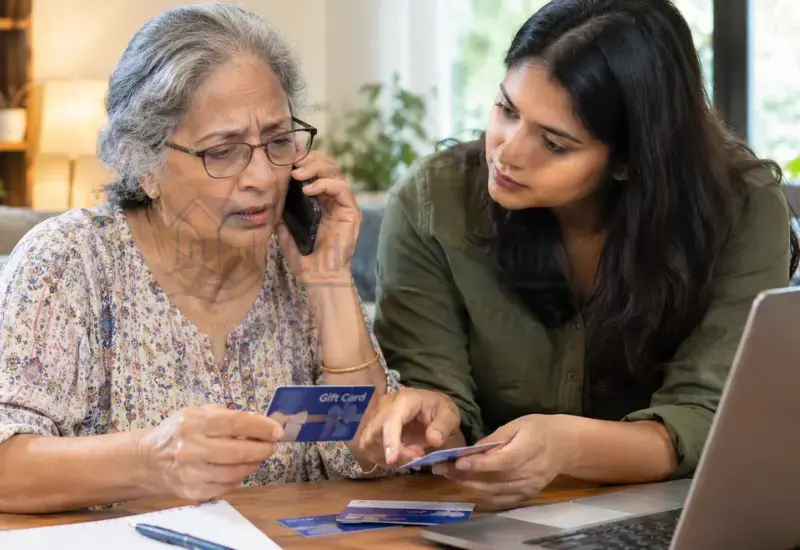
What Is a Tech Support Gift Card Scam?
A tech support gift card scam is a fraud scheme in which someone impersonates technical support and demands payment through gift cards.
Gift-card demands are one payment tactic used in broader Fake tech support scams for seniors. Learn how these scams work, what warning signs to watch for, and how to respond safely.
The scammer may contact the senior by phone, email, text message, or through a fake computer warning.
The story usually involves a supposed technical problem.
The caller may claim that the computer has:
- A virus
- Malware
- Suspicious activity
- A security problem
- An expired subscription
- A compromised account
The scammer may then offer to fix the problem.
Instead of asking for a normal service payment, the scammer tells the senior to buy gift cards.
The scammer may request cards from a specific retailer and then ask for the numbers or PINs.
The FTC specifically identifies gift-card demands as a payment warning sign in tech support scams.
Why Would a Tech Support Scammer Ask for Gift Cards?
Gift cards can become part of the scam after the victim believes there is an urgent computer problem.
The scammer’s story may change, but the payment demand remains the important warning sign.
H3: The Scammer Creates Urgency
The caller may say the computer is already infected.
They may claim that personal information is being stolen.
They may warn that an account will be closed.
They may say the problem must be fixed immediately.
This pressure is designed to discourage careful verification.
A senior does not need to make a payment decision while an unexpected caller is creating fear.
H3: The Scammer Gives Specific Payment Instructions
The scammer may tell the senior exactly what to do.
They might name a particular gift card.
They might give a dollar amount.
They may tell the senior to visit a nearby store.
They may remain on the phone while the senior buys the cards.
The scammer may then ask the senior to read the numbers from the back of each card.
H3: The Scammer Requests the Card Information
After the purchase, the scammer may request:
- Gift card numbers
- PINs
- Activation codes
- Photographs of the cards
- Photographs of receipts
- Other transaction information
Once this information has been shared, the scammer may attempt to use the cards.
Never give gift card numbers to an unexpected technology-support caller.
What Are the Warning Signs of a Gift Card Tech Support Scam?
Several warning signs can appear together.
Watch for these situations:
- You did not contact the company first.
- Someone unexpectedly says your computer has a problem.
- The caller claims your device has a virus.
- The caller creates an urgent situation.
- The caller wants remote access.
- The caller asks for passwords or security codes.
- The caller demands payment through gift cards.
- The caller tells you which gift cards to purchase.
- The caller stays on the phone while you shop.
- The caller asks for card numbers or PINs.
- The caller tells you not to contact family.
- The caller discourages independent verification.
- The caller threatens financial or account consequences.
A legitimate company name does not make an unexpected caller trustworthy.
Microsoft states that it does not proactively contact people with unsolicited technical support. Microsoft also says it will never ask customers to pay for support with gift cards.
What Should a Senior Do If a Scammer Asks for Gift Cards?
The safest response is to stop the transaction before money is lost.
H3: Stop the Conversation
Do not argue with the caller.
Do not stay on the phone to see what happens next.
Simply end the conversation.
If the contact came through email or text, stop responding.
H3: Do Not Buy the Gift Cards
If the senior has not purchased the cards, do not buy them.
Do not follow the scammer’s instructions.
Do not visit a store because an unexpected caller says the computer is at risk.
If there is a genuine computer problem, it can be checked independently.
H3: Do Not Give the Scammer the Card Information
Never provide:
- Card numbers
- PINs
- Activation codes
- Photos of the cards
- Photos of receipts
Do not read the numbers aloud over the phone.
Do not enter them into a website supplied by the caller.
H3: Verify the Computer Problem Independently
If the senior is worried about the computer, verify the problem separately.
Use the company’s official website or another trusted source.
Do not use the phone number supplied by the caller.
You can also ask a trusted family member or technician to inspect the situation.
Microsoft recommends independently verifying support rather than responding to unsolicited technical-support contact.
What If the Senior Already Bought the Gift Cards?
The next steps depend on whether the card information was shared.
Act quickly and preserve everything related to the transaction.
H3: The Cards Were Purchased but Nothing Was Shared
If the cards were purchased but the numbers were not given to the scammer:
- Do not send the numbers.
- Do not send photographs.
- Stop communicating with the scammer.
- Keep the physical cards.
- Keep the receipts.
- Contact the issuer if you need help determining the next step.
- Save evidence of the scam.
Do not let the scammer convince the senior that another payment is required.
H3: The Card Numbers or PINs Were Shared
If the card numbers or PINs were already provided, contact the gift card issuer immediately.
Use the contact information on the card or the issuer’s official website.
Tell the issuer that a scammer obtained the card information.
Ask what options are available.
The FTC recommends contacting the gift card company immediately, explaining that a scammer obtained the card information, and asking for a refund. It also recommends keeping the gift card and receipt.
H3: The Scammer Says the Payment Failed
Do not buy more cards.
Scammers may claim that the first payment did not work.
They may say the wrong amount was purchased.
They may demand another card.
They may claim the senior must pay an additional fee.
Do not continue the transaction.
End the communication and contact the issuer independently.
What Information Should You Save After a Gift Card Scam?
Do not throw away the evidence.
Keep:
- Physical gift cards
- Store receipts
- Card numbers
- Transaction information
- Screenshots
- Emails
- Text messages
- Phone numbers
- Caller names
- Company names used
- Dates and times
- Amounts requested
- Amounts paid
- Instructions given by the scammer
Write down what happened while the details are still fresh.
Include what the scammer claimed, what the senior purchased, and exactly what information was shared.
This information can help when speaking with the gift card issuer or reporting the scam.
How Should You Contact the Gift Card Company?
Contact the issuer as soon as possible.
Use the customer-service information printed on the card or obtained independently from the company’s official website.
Do not use a phone number supplied by the scammer.
Explain clearly that the card was purchased because of a scam.
Be prepared to provide relevant transaction information.
The issuer may ask for the card number, receipt, purchase information, or other details.
Follow the issuer’s instructions and keep records of your communications.
The FTC specifically advises scam victims to contact the gift card issuer and ask for their money back.
Can Gift Card Money Be Recovered After a Scam?
Sometimes there may be steps available to try to recover money lost through a gift card scam.
However, no one should promise that the money will definitely be recovered.
The first priority is contacting the issuer quickly.
The FTC advises people who paid a scammer with a gift card to contact the gift card company immediately and ask for a refund.
The result can depend on what happened, what information was provided, and what actions are possible for that particular issuer.
If an elderly parent has already lost money, see our guide on steps after a scam payment for broader recovery actions.
What If a Senior Paid With Multiple Gift Cards?
Some scams involve several cards rather than one large payment.
If this happened, document every transaction separately.
Record:
- Card type
- Card value
- Purchase date
- Purchase location
- Receipt information
- Card number
- Whether the PIN was shared
- Whether the scammer claimed to redeem the card
- Any follow-up payment requests
Contact the relevant issuers promptly.
Do not assume that one issuer’s process will be identical to another issuer’s process.
Keep copies of every response you receive.
What If the Scammer Pretended to Be Microsoft or Another Technology Company?
A scammer may use the name of a familiar technology company to make the story sound legitimate.
Microsoft is one example.
The scammer may claim to be from:
- Microsoft
- Apple
- An antivirus company
- An internet provider
- A computer repair company
- Another technology service
The company name does not prove that the caller is genuine.
Microsoft says it does not proactively contact people to provide unsolicited technical support. It also says genuine Microsoft error messages do not contain phone numbers to call.
If the senior sees a suspicious Microsoft warning, learn how to recognize a fake Microsoft security alert before taking further action.
What If the Scammer Also Got Remote Access?
Gift-card demands can occur alongside remote-access requests.
A scammer may first convince the senior that a computer problem exists.
The scammer may then ask the senior to install remote-support software.
If remote access was provided, the situation requires additional security steps.
Stop communicating with the scammer.
Do not allow another remote session.
Secure affected accounts and devices using trusted support.
For detailed recovery guidance, follow our guide on after a scammer gains remote access.
The FTC recommends additional security steps when a scammer has accessed a computer, including updating security software, scanning the device, and changing passwords.
What If the Senior Shared Passwords or Personal Information?
A gift card payment may not be the only information lost.
Ask the senior what they shared.
This may include:
- Account usernames
- Passwords
- Security codes
- Bank information
- Credit card information
- Address
- Date of birth
- Other personal information
If a password was shared, change it immediately.
Change the same password anywhere else it was reused.
Turn on two-factor authentication where available.
If financial information was exposed, contact the relevant financial institution through an independently verified channel.
The FTC recommends changing compromised passwords and using two-factor authentication after account information is exposed.
How Can Families Help Prevent Gift Card Tech Support Scams?
A simple family rule can prevent many payment decisions from happening under pressure.
Create a Family Payment Rule
Agree that an elderly parent will not make an unexpected technology payment without checking with a trusted family member.
This should apply even when the caller claims there is an emergency.
The goal is not to take control away from the senior.
The goal is to create a pause before money is sent.
Teach the Gift Card Rule
Give seniors one simple rule:
Gift cards are for gifts, not unexpected computer repairs.
A short rule can be easier to remember during a stressful phone call.
Encourage Independent Verification
Teach the senior to end unexpected calls and verify the problem separately.
They can:
- Contact family.
- Visit the official company website.
- Use trusted support information.
- Contact a known technician.
Never use contact information supplied by the suspicious caller.
Make Asking for Help Normal
Avoid blaming the senior if they become involved in a scam.
Scammers deliberately create urgency and confusion.
A senior who knows they can call a family member without embarrassment may be more willing to ask for help before making a payment.
How Do Recovery Scammers Target Gift Card Scam Victims?
The original scam may not be the last threat.
After a senior loses money, another person may claim they can recover it.
They may pretend to be:
- A recovery company
- A government agency
- A lawyer
- A fraud investigator
- A cybersecurity specialist
They may ask for an upfront fee.
They may request personal information.
They may demand another gift card.
They may promise guaranteed recovery.
These are major warning signs.
The FTC warns that people who have already lost money to a scam can be targeted by refund and recovery scams. It advises against paying upfront fees or giving personal or financial information to someone who unexpectedly promises to recover lost money.
Do not pay a second scammer to recover money from the first scammer.
How Should You Report a Gift Card Tech Support Scam?
Report the scam even if the money cannot be recovered.
Keep your evidence before deleting messages or blocking the scammer.
For U.S. readers, you can report scams to the Federal Trade Commission.
If the scam involved Microsoft impersonation, Microsoft also provides a reporting route for technical-support scams.
If the incident involved broader internet-enabled fraud, families can also consider the appropriate federal or local reporting channel.
Reporting can help authorities identify patterns and educate consumers.
The FTC says scam reports can help build cases, identify trends, and educate the public.
Common Tech Support Gift Card Scam Examples
“Your Computer Has a Virus”
The caller claims the computer is infected.
They offer to remove the virus and demand gift cards as payment.
“This Is Microsoft Support”
The scammer claims to work for Microsoft.
They say suspicious activity was detected and demand payment to protect the computer.
Microsoft says unsolicited technical-support calls claiming to be from Microsoft are scams.
“Your Antivirus Subscription Expired”
The caller claims the senior’s security subscription has expired.
They offer to renew or fix it in exchange for gift cards.
“You Received a Refund by Mistake”
The scammer claims too much money was refunded.
They then demand gift cards to return the supposed difference.
The FTC describes refund-based tech-support scams that can lead to demands for gift cards or other difficult-to-reverse payments.
“Buy Gift Cards and Read Me the Codes”
This is the most direct version.
The scammer simply tells the senior to buy cards and provide the numbers.
An unexpected demand to pay a technology company with gift cards is a scam warning sign.
What Not to Do After a Gift Card Tech Support Scam
Do not:
- Buy additional gift cards.
- Give the scammer more card numbers.
- Share PINs or activation codes.
- Send photographs of cards.
- Continue talking to the scammer.
- Throw away receipts.
- Throw away the physical cards.
- Trust caller ID as proof of identity.
- Use contact information supplied by the scammer.
- Pay someone who promises guaranteed recovery.
- Hide the incident because of embarrassment.
The sooner the family recognizes what happened, the sooner it can take appropriate steps.
Frequently Asked Questions
Can tech support scammers ask for gift cards?
Yes. Gift cards are a known payment method used in tech-support scams. The FTC specifically warns about scammers posing as technical support and demanding gift-card payments.
Why do scammers want gift cards?
A scammer may demand gift cards because the payment can be difficult to recover after the card information is provided. The FTC identifies gift cards as a common scam payment method.
What should I do if an elderly parent bought gift cards for a scammer?
Stop communication, keep the cards and receipts, and contact the gift card issuer immediately using official contact information. Ask what options are available and report the scam.
What if my parent already gave the gift card numbers to the scammer?
Contact the gift card issuer immediately.
Tell the issuer that the cards were used in a scam.
Keep the physical cards and receipts.
Can a gift card payment be recovered after a scam?
Recovery may be possible in some circumstances, but it is not guaranteed.
Contact the issuer promptly and ask what options are available.
Should I keep the gift card after reporting the scam?
Yes.
Keep the physical card and receipt if you still have them.
The FTC specifically recommends keeping both when reporting a gift card scam.
What information should I give the gift card company?
Provide the information the issuer requests.
This may include the card details, receipt, purchase information, and details about the scam.
Do not send more information to the original scammer.
Can a scammer use a fake Microsoft support call to demand gift cards?
Yes.
Microsoft warns that scammers may impersonate Microsoft and use unsolicited technical-support calls to deceive people. Microsoft also states that it does not ask customers to pay for support with gift cards.
What if someone offers to recover the gift card money?
Be extremely cautious.
Do not pay an upfront recovery fee or provide financial information to an unexpected person promising to recover your money.
The FTC warns that victims of one scam can be targeted by refund and recovery scammers.
Should I report a senior gift card scam?
Yes.
Reporting can help authorities identify scams and warn others.
For U.S. readers, the FTC accepts scam reports through its official reporting system.
Final Thoughts
A tech support scam gift card demand should never be treated as normal technical support.
The scammer may sound professional, use a familiar company name, or claim that a computer emergency requires immediate payment.
Those details do not make the demand legitimate.
Stop, verify, and protect the evidence.
If gift cards were already purchased, contact the issuer promptly.
If the numbers were shared, explain that a scam occurred and ask what recovery options are available.
Then report the incident and watch for recovery scammers.
For families, one simple rule can help:
An unexpected computer problem should never lead to an immediate gift-card payment.
Sources
https://consumer.ftc.gov/avoiding-reporting-gift-card-scams
https://consumer.ftc.gov/articles/what-do-if-you-were-scammed
https://consumer.ftc.gov/articles/how-spot-avoid-and-report-tech-support-scams
https://consumer.ftc.gov/articles/refund-and-recovery-scams
https://support.microsoft.com/en-us/security/avoid-and-report-microsoft-technical-support-scams