
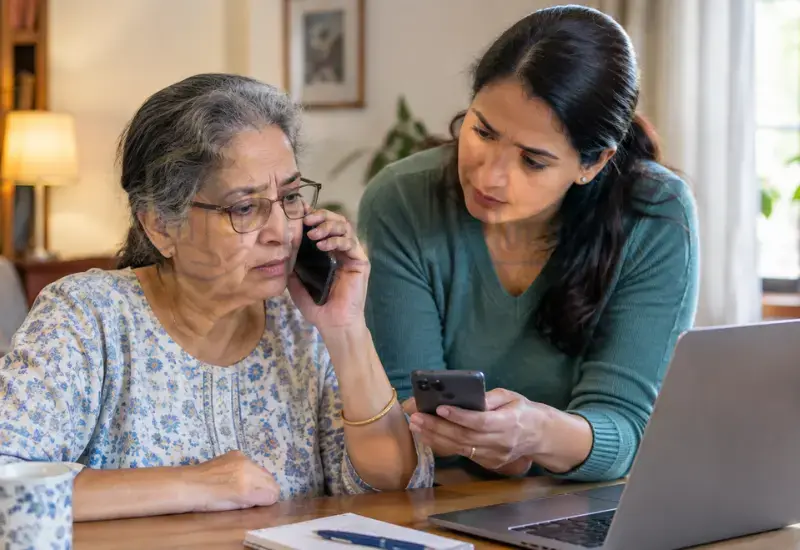
What Is a Fake Tech Support Call?
A fake tech support call is an unsolicited call about a supposed technical problem.
The caller pretends to provide legitimate computer or device support.
They may claim to work for a technology company or service provider.
The claimed problem may involve viruses, malware, subscriptions, accounts, or internet service.
The caller’s goal may involve money, personal information, or computer access.
A fake computer support call can sound convincing during a stressful situation.
Microsoft warns that scammers may call directly while impersonating technology companies.
They may also spoof caller ID to appear connected with legitimate companies.
FTC guidance also describes unexpected calls from people claiming to be computer technicians.
How Do Fake Tech Support Calls Target Seniors?
Tech support scammers can use several steps during one conversation.
The initial call may sound helpful rather than threatening.
The caller usually creates a technical problem that requires immediate attention.
The Caller Claims There Is a Computer Problem
The caller may claim that the computer has a virus.
They may say malware is stealing information from the device.
Some callers claim suspicious activity was detected on the account.
Others claim that security software has expired.
A scammer calls about a computer virus to create fear quickly.
The caller may then offer to fix the supposed problem.
The Caller Pretends to Be From a Trusted Company
A fake technician call may involve a familiar company name.
Common impersonation targets include Microsoft, Apple, and security companies.
Scammers may also impersonate internet, cable, or computer-service providers.
The company name alone does not prove the caller’s identity.
IC3 reports that technology-support impersonation can involve many types of businesses.
The Caller Creates Urgency
Scammers often want people to act before they verify the story.
The caller may say your computer is already compromised.
They may warn that personal information could be stolen.
They may claim your account could be closed or suspended.
Some callers insist that the problem must be fixed immediately.
This pressure is a major warning sign.
You do not need to make technical decisions during an unexpected call.
The Caller Requests Remote Access
The caller may ask you to install remote-support software.
They may request a code displayed by that software.
They may then ask permission to control the computer.
Microsoft warns that remote access can expose information or enable unwanted software installation.
Never allow an unexpected caller to control your computer.
If access was already given, use our guide on what to do after a scammer gains remote access.
The Caller Requests Money or Personal Information
A scammer may eventually ask for payment.
They may request a card number, bank information, or other financial details.
They may also request passwords or account verification codes.
Some scammers request gift cards, cryptocurrency, or other difficult-to-reverse payments.
FTC guidance warns about these types of demands during tech support scams.
What Are the Warning Signs of a Fake Tech Support Call?
Several warning signs can appear during the same call.
Watch for these common patterns:
- You did not contact the company first.
- The caller claims your computer has a serious problem.
- The caller demands immediate action.
- The caller asks for remote access.
- The caller asks you to install unfamiliar software.
- The caller requests your password.
- The caller requests a security or verification code.
- The caller asks for banking information.
- The caller demands an unusual payment method.
- The caller discourages independent verification.
- The caller tells you not to contact anyone else.
- The caller claims to represent a trusted technology company.
A legitimate company name does not make an unsolicited call legitimate.
A convincing voice also does not prove the caller’s identity.
Can Caller ID Prove That a Tech Support Call Is Real?
No. Caller ID cannot prove that an unexpected support call is legitimate.
Scammers can spoof caller ID information.
The displayed number may look like a company’s genuine support number.
Microsoft specifically warns that scammers can use spoofed caller IDs.
Do not call the displayed number to verify the caller.
Instead, find the company’s contact information independently.
Use its official website, official app, or known account statement.
A recent FTC alert also recommends avoiding contact information found through suspicious search results.
What Should You Do When a Fake Tech Support Call Comes In?
The safest response is simple.
Stop the conversation before providing information or access.
Do Not Argue With the Caller
You do not need to prove that the caller is lying.
Do not stay on the phone to test their story.
Do not answer unnecessary questions.
A suspicious call does not require a detailed explanation.
You can simply end the conversation.
Hang Up
If an unexpected caller claims your computer has a problem, hang up.
FTC guidance specifically recommends hanging up on unexpected tech-support callers.
Do not call the person back.
Do not use a number provided during the conversation.
If genuine help is needed, find support independently.
Do Not Give Remote Access
Never install remote-support software because of an unexpected call.
Do not provide access codes to an unknown caller.
Do not approve remote-control requests from someone you did not contact.
The FBI also advises against allowing unknown callers to control your computer.
If access was already given, follow our detailed remote access scam recovery guide.
Do Not Give Passwords or Security Codes
Never provide your password to an unexpected technical-support caller.
Do not share one-time verification codes either.
These codes can help scammers access accounts.
The same rule applies to banking credentials and recovery codes.
If a password was already shared, change it from a trusted device.
Do Not Make a Payment
Do not pay an unexpected caller for technical support.
Do not provide card information during an unsolicited call.
Be especially cautious about gift cards or cryptocurrency.
Do not send money because the caller creates an emergency.
If an elderly parent already paid, follow our guide about what to do when a parent sends money to a scammer.
Verify Independently
End the call before investigating the supposed problem.
Open the company’s official website yourself.
Use contact information published through that official source.
Do not rely on the number provided by the caller.
You can also ask a trusted family member for help.
What If the Caller Says They Are From Microsoft?
A Microsoft scam call may sound convincing.
However, Microsoft says it does not proactively contact users with unsolicited technical support.
An unexpected caller claiming to represent Microsoft should therefore receive strong scrutiny.
Do not provide remote access.
Do not provide passwords or financial information.
Do not install software because of the call.
Hang up and verify through Microsoft’s official support channels.
Microsoft also states that genuine error messages do not include phone numbers.
For computer warnings, see our guide about how to spot a fake Microsoft security alert.
What If the Caller Claims Your Computer Has a Virus?
A caller’s claim does not prove that your computer has a virus.
Do not install software because the caller says it is necessary.
Do not allow the caller to inspect your computer remotely.
If you are concerned, check the computer independently.
Use trusted security software or contact legitimate support yourself.
You can also read our guide about suspicious computer virus alerts.
That article explains how deceptive computer warnings can lead people into tech support scams targeting older adults.
What If the Caller Wants Remote Access?
Remote access can give another person significant control over a computer.
The caller may claim this access is needed for diagnosis.
An unexpected caller should never receive that permission.
Do not install software at the caller’s direction.
Do not provide remote-session codes.
If access was already provided, stop communicating with the scammer.
Then secure the computer and important accounts.
For detailed recovery steps, read what to do if a tech support scammer gets remote access.
What If the Caller Says You Are Entitled to a Refund?
Refund claims can also become part of tech support scams.
The caller may claim a subscription was renewed accidentally.
They may offer to refund the supposed payment.
The scammer may then request remote access.
They could use that access to create a fake refund transaction.
The FBI has documented refund-based technical-support scams targeting older adults.
Some scams involve a fake refund followed by a claim that too much money was returned.
The scammer then demands repayment.
Never give remote access to process an unexpected refund.
Contact the company independently if you believe a genuine refund exists.
What If an Elderly Parent Already Spoke With the Scammer?
Speaking with a scammer does not automatically mean the computer was compromised.
The next steps depend on what happened during the call.
If They Only Spoke With the Caller
End the communication.
Do not call the number again.
Do not provide additional information.
Watch for follow-up calls, messages, or emails.
If They Gave Personal Information
First, identify exactly what information was shared.
Then secure any affected accounts.
Change compromised passwords from a trusted device.
Monitor accounts for unusual activity.
Consider contacting the affected financial institution when financial information was exposed.
If They Gave Remote Access
Treat the computer as potentially compromised.
End communication with the scammer.
Do not continue following the caller’s instructions.
Use our dedicated remote-access recovery guide for detailed steps.
If They Paid the Scammer
Stop communicating with the scammer.
Do not send additional money.
Contact the payment provider as soon as possible.
Ask what reversal, dispute, or recovery options may apply.
Save payment records and other evidence.
For detailed recovery guidance, see what to do when an elderly parent has already given a scammer money.
How Can You Help an Elderly Parent Handle Tech Support Calls?
Families can create simple rules before a scam happens.
The goal is to make stopping the call easier.
Create a Family Verification Rule
Create one simple household rule:
Unexpected technology call means hang up and call family first.
This gives your parent permission to stop the conversation.
It also removes pressure to solve the problem alone.
Keep Important Support Numbers Somewhere Safe
Create a small list of trusted contacts.
Include:
- Internet provider
- Computer manufacturer
- Antivirus provider
- Trusted technician
- Adult child or caregiver
Use contact information collected independently.
Do not copy numbers from suspicious calls or pop-ups.
Teach the “Unexpected Contact” Rule
An unexpected technology call deserves caution.
Your parent can simply say they will contact the company independently.
They do not need to continue the conversation.
This rule works for a tech support scam elderly parent may encounter.
Make Asking for Help Normal
Avoid blaming your parent after a suspicious call.
Scammers deliberately use pressure and impersonation.
A calm family response encourages earlier reporting.
Tell your parent to call you whenever something feels unusual.
What Should You Do After Receiving a Fake Tech Support Call?
Use this short checklist after the call:
STOP
Hang up and do not call the scammer back.
VERIFY
Check the supposed company independently.
SECURE
Change passwords if sensitive information was shared.
CHECK
Review accounts for unusual activity.
REPORT
Report the scam through appropriate official channels.
TELL SOMEONE
Warn trusted family members about the scam attempt.
How Can You Report a Fake Tech Support Call?
Reporting can help authorities identify scam patterns.
In the United States, consumers can report scams to the Federal Trade Commission.
Microsoft also provides a reporting option for technical-support scams.
The FBI’s Internet Crime Complaint Center accepts reports involving internet-enabled crimes.
Keep useful evidence before reporting.
Save phone numbers, emails, messages, payment records, and relevant screenshots.
Reporting does not guarantee that lost money will be recovered.
It can still provide useful information to investigators.
Common Fake Tech Support Call Examples
“Your Computer Has a Virus”
The caller claims a virus was detected.
They offer immediate technical assistance.
“This Is Microsoft Support”
The caller claims to represent Microsoft.
They say your computer or account has a security problem.
“Your Internet Connection Is Compromised”
The caller claims suspicious activity was detected.
They offer to repair the internet connection.
“Your Antivirus Subscription Expired”
The caller claims your security software needs renewal.
They request payment or remote access.
“You Are Due a Refund”
The caller claims you were charged incorrectly.
They then offer to process a refund.
“Your Account Has Been Hacked”
The caller claims your account is already compromised.
They request information or computer access.
The story can change, but the pressure tactics often remain similar.
What Not to Do During a Tech Support Scam Call
Do not stay on the phone to test the caller.
Do not install software at the caller’s request.
Do not give remote access.
Do not provide passwords.
Do not provide security codes.
Do not provide banking information.
Do not provide unnecessary personal information.
Do not send money.
Do not buy gift cards.
Do not send cryptocurrency.
Do not trust caller ID alone.
Do not call the provided number again.
Do not feel embarrassed about asking for help.
Frequently Asked Questions
Are unexpected tech support calls usually scams?
An unexpected call about a computer problem deserves strong caution.
Legitimate support companies generally do not cold-call customers about technical problems.
Microsoft specifically says it does not make unsolicited technical-support calls.
Will Microsoft call me about a computer virus?
Microsoft says it will not proactively contact you with unsolicited technical support.
If an unexpected caller claims to be Microsoft Support, hang up.
Verify any real concern through Microsoft’s official support channels.
How can I tell if a tech support call is fake?
Look for unexpected contact, urgency, remote-access requests, and payment demands.
Requests for passwords or security codes are also major warning signs.
Verify the company independently before taking any action.
Can scammers fake a Microsoft phone number?
Yes. Scammers can spoof caller ID information.
A familiar number does not prove that the caller is genuine.
End the call and verify through an official source.
What should I do if a fake technician calls my elderly parent?
Tell your parent to hang up.
Ask what information, access, or payment was shared.
Then take recovery steps based on what happened.
Should I give a tech support caller remote access?
No. Do not give unexpected callers remote access.
If remote access was already provided, secure the computer promptly.
What if my elderly parent gave the caller their password?
Change the exposed password immediately.
Change it anywhere else the same password was used.
Enable two-factor authentication where available.
What if my parent paid a fake technician?
Stop communication and do not send more money.
Contact the payment provider immediately.
Ask about available reversal or dispute options.
Should I report a fake tech support call?
Yes. Reporting can help authorities identify scam activity.
In the United States, you can report it to the FTC.
You can also report Microsoft impersonation scams to Microsoft.
What if my elderly parent already gave the scammer remote access?
Treat the computer as potentially compromised.
End the scammer’s communication and secure important accounts.
Follow a dedicated remote-access recovery process.
Final Thoughts
Fake tech support calls can sound convincing because scammers imitate trusted companies.
A professional voice does not prove that a caller is legitimate.
Caller ID does not prove the caller’s identity either.
The safest response is simple: hang up and verify independently.
Never give unexpected callers remote access or sensitive information.
Families can also create a simple rule for suspicious technology calls.
If an unexpected caller creates urgency, stop and verify before doing anything.
Sources
https://support.microsoft.com/en-us/office/protect-yourself-from-tech-support-scams
https://support.microsoft.com/en-us/security/avoid-and-report-microsoft-technical-support-scams
https://consumer.ftc.gov/features/pass-it-on/impersonator-scams/tech-support-scams